 opaya
opayaA Serious Claude Code Setup: Projects, Skills and MCP Servers
Defaults that scale past one repo.

Most Claude Code setups grow by accident. A CLAUDE.md gets written on a deadline, two MCP servers get registered to the user scope “for now”, and a useful skill lives only on the laptop where someone first typed the prompt. That works until the second repository and the second machine appear, and then every session starts with ten minutes of re-explaining the project to the agent.
This guide describes a claude code setup that scales past one repo: project instructions committed alongside the code, skills for tasks you repeat, MCP servers scoped per project, secrets kept out of configuration files, a per-machine bootstrap script, and the entire arrangement treated as versioned code that gets reviewed.
Claude Code configuration layers that scale past one repo
Claude Code reads configuration from several places, and the value of the whole system depends on which layer each piece of configuration lands in. Before touching anything, map out where things belong. Paths and behaviour evolve, so verify the specifics against the Claude Code documentation when you set this up.
- Project memory —
CLAUDE.mdat the repository root, committed. Optionally, directory-level memory files in subprojects, which the docs describe as being picked up when the agent works in those directories. - Personal memory —
~/.claude/CLAUDE.md, and a gitignoredCLAUDE.local.mdfor notes that must never leave your machine. - Skills —
.claude/skills/<skill-name>/SKILL.mdplus supporting files, committed. Each skill has frontmatter with a name and a description, and the description is what determines when the agent loads it. - Subagents —
.claude/agents/*.md, optional, useful when one narrow role (code review, test triage) needs different tools or a different model. - MCP servers —
.mcp.jsonat the repo root for project scope, committed; user and local scopes for everything personal. - Settings —
.claude/settings.jsonfor shared permissions and environment declarations,.claude/settings.local.jsonfor machine-specific overrides (gitignored),~/.claude/settings.jsonfor you alone. - Bootstrap — a script in the repo, or in a dotfiles repo, that puts a new machine into the same state.
The rule of thumb: if a teammate cloning the repo would need it to be productive, it belongs in the repository. If it is a credential, a path, or a personal preference, it belongs in your environment.
Prerequisites before you build a shared Claude Code setup
- Claude Code installed and authenticated on at least one machine, using whichever account or provider arrangement your organization supports.
- Git, and permission to commit a
.claude/directory and.mcp.jsonto the repo. Some organizations restrict dotfile directories; sort that out before you build on top of it. - A runtime for any MCP server you plan to use. Many community servers ship as npm packages and are launched with
npx; others are Python, Go, or container images. Check each server's own documentation rather than assuming. - Docker, only if you intend to run a server in a container.
- A secrets strategy you can standardize on: your shell profile, direnv, a secret manager CLI, or your OS keychain. Pick one and document it in
.env.example. - An agreement on what is shared. Teams get into trouble when one person's personal preferences become everyone's committed defaults.
Step 1: Commit project instructions in CLAUDE.md
Start inside the repository and run /init, which drafts a starter CLAUDE.md from what is already in the tree. Treat the draft as raw material. The finished file should answer the questions a new engineer would ask in their first hour, and nothing more. Long restatements of the README tend to get skimmed and diluted.
What earns a place in CLAUDE.md:
- Exact build, test, and lint commands, including the fast subset to run while iterating.
- A short map of the architecture: which directory owns what, and where the boundaries are.
- Conventions that are not obvious from the code — naming, error handling, migration rules, generated-file locations.
- Hard constraints: files or directories the agent must not touch, commands that are expensive or dangerous, environments that require approval.
- How to verify work is done, in concrete terms.
For anything longer than a screen, use imports. A line such as @docs/architecture.md pulls in another file, and the documentation notes that imports can be nested up to a small fixed depth. Keep the root file as the index and push detail down. Add CLAUDE.local.md to .gitignore so personal notes never get committed by accident.
Step 2: Turn repeated tasks into reusable skills
A skill is a folder with a SKILL.md and, optionally, reference documents and scripts next to it. Claude Code loads the frontmatter first and reads the body only when the description matches the work at hand, which is why the description is the most important line in the file.
---
name: release-notes
description: Draft release notes from merged pull requests. Use when asked to prepare a release, write a changelog, or summarize changes since the last tag.
---

# Release notes

1. Determine the range with `git describe --tags --abbrev=0` to HEAD.
2. Group merged PRs by area; skip commits prefixed `chore:`.
3. Follow the template in `template.md` and write to `docs/notes/<version>.md`.
4. Done when every user-visible change appears and no TODO markers remain.
Good candidates for the first pass: release notes, dependency upgrades, incident triage, adding an endpoint that follows the existing pattern, and the review checklist your team argues about every sprint. Write one job per skill. Put the checklist in the body and the long reference material in a sibling file, so the token cost stays proportional to the task.
Single-file prompt shortcuts also exist as custom slash commands in .claude/commands/. Where a task needs supporting files, scripts, or a definition of done, a skill is the sturdier container. The two mechanisms have been converging over time, so check the current docs before building a large library on either one.
Step 3: Scope MCP servers per project
MCP servers are how the agent reaches systems outside the repository: issue trackers, documentation search, databases, browsers. Claude Code supports several scopes, and choosing the right one is most of the work.
- Project scope — written to
.mcp.jsonat the repo root and intended to be committed. Use this for servers the project genuinely needs, so a teammate gets them by cloning. - Local scope — private to you, but tied to the current project. Use this for experiments and for servers that need credentials you are not ready to standardize.
- User scope — available across all your projects. Reserve this for genuinely personal tooling: your notes app, your calendar, your browser.
Register a server with an explicit scope, for example claude mcp add --scope project github -- npx -y example-org/mcp-server@1.4.0. Committing a pinned version makes upgrades a reviewable change instead of a surprise. Inspect the result with claude mcp list, and expect Claude Code to ask for approval before it uses project-scoped servers from a repository you have not trusted — that prompt is a feature, not friction.
An illustrative .mcp.json, with placeholders you should replace from each server's own documentation:
{
  "mcpServers": {
    "github": {
      "command": "npx",
      "args": ["-y", "example-org/mcp-server@1.4.0"],
      "env": { "GITHUB_TOKEN": "${GITHUB_TOKEN}" }
    },
    "internal-docs": {
      "type": "http",
      "url": "${DOCS_MCP_URL}",
      "headers": { "Authorization": "Bearer ${DOCS_MCP_TOKEN}" }
    }
  }
}
Two disciplines keep this healthy. First, keep the project list short; every connected server adds tool definitions to the context and makes it harder for the agent to pick the right one. Second, review changes to .mcp.json as carefully as you would review a new dependency, because that is what it is.
Step 4: Keep secrets out of Claude Code configuration
The configuration files in a repository describe which environment variables are needed. They never contain the values. Claude Code's configuration supports substituting environment variables such as ${GITHUB_TOKEN}, and in many places a fallback default can be supplied; confirm the exact syntax in the docs before relying on it.
Practically, that means:
- Commit
.env.examplelisting variable names and a one-line description of each. Never commit.env. - Load values from your shell profile, direnv, or a secret manager command at shell start, so the agent inherits them without any file in the repo knowing them.
- Keep machine-specific settings in
.claude/settings.local.jsonand add it to.gitignore. - Add deny rules for sensitive paths, for example a
Read(...)deny entry covering.envand credential directories. The permission syntax is documented; copy it from there rather than inventing it. - Run a secret scanner in CI. Environment-variable hygiene is about preventing accidental commits and accidental disclosure in transcripts — it is not a sandbox. An agent with shell access can read whatever your user account can read, so scope your credentials accordingly and prefer short-lived tokens.
Step 5: Write a per-machine bootstrap script
Some things cannot be committed: the path to your Node installation, whether Docker is running, whether this laptop uses a work or personal account. A bootstrap script handles exactly those, and verifies that the committed configuration actually resolves on a fresh machine.
#!/usr/bin/env bash
set -euo pipefail

required_vars=(GITHUB_TOKEN DOCS_MCP_URL DOCS_MCP_TOKEN)
missing=0

command -v claude >/dev/null || { echo "claude not on PATH"; exit 1; }
command -v git >/dev/null || { echo "git not on PATH"; exit 1; }

for v in "${required_vars[@]}"; do
  if [ -z "${!v:-}" ]; then
    echo "missing env var: $v (see .env.example)"
    missing=1
  fi
done

# personal configuration comes from a dotfiles repo, never from the project
mkdir -p "$HOME/.claude"
if [ -d "$HOME/dotfiles/claude" ]; then
  rsync -a "$HOME/dotfiles/claude/" "$HOME/.claude/"
fi

# confirm committed project config resolves on this machine
claude mcp list || true

[ "$missing" -eq 0 ] || exit 2
echo "agent environment looks OK"
Keep it idempotent so it can be re-run after a machine wakes from a long sleep, and never echo values — only the names of missing variables. A second, optional step is a non-interactive smoke test using headless mode, which lets you check that the agent starts and answers a trivial question in a clean environment.
Step 6: Version and review the whole agent setup
Once the pieces exist, treat them as a subsystem. Commit CLAUDE.md, .claude/skills/, .claude/agents/, .claude/settings.json, and .mcp.json in one tracked tree, and give that tree an owner through CODEOWNERS. Add a line to the pull request template — does this change what the agent can do? — so configuration changes get the same scrutiny as code.
Keep a short dated changelog for agent configuration. When a skill starts producing bad output, the changelog tells you whether the model, the skill, or the underlying code changed. Pin MCP server versions where the distribution method allows it, and make upgrades deliberate.
For configuration that should follow you rather than the repo — personal skills, user-scope servers, global preferences — maintain a small dotfiles repository and let the bootstrap script install it. That keeps the project repo honest about what the project actually needs.
Test checklist for your Claude Code setup
Run this after the first setup and again after anyone changes the shared configuration.
- Fresh clone test. Clone into a new directory, start Claude Code, and ask what the build and test commands are. The answer should match
CLAUDE.mdexactly. - Scope audit. Run
claude mcp listand confirm each server appears at the scope you intended. Nothing project-specific should be at user scope. - Missing secret test. Unset one token in a fresh shell. You want a clear complaint, not a silent failure halfway through a task.
- Skill dry run. Trigger a skill on a scratch branch and confirm it follows the checklist, writes to the expected path, and stops when the definition of done is met.
- Deny rule test. Ask the agent to read a file covered by a deny rule and confirm the permission layer refuses it.
- Hygiene test. Run a full session, then check
git status. No stray files should appear in.claude/, and no environment files should be modified. - Non-interactive test. Run a headless prompt in a clean checkout or container to confirm the setup works where no one can approve a prompt.
- Second machine test. Provision a second machine using only the repository and the bootstrap script. Record how long it takes; that number is your real onboarding time.
Edge cases to plan for
- Monorepos. One root
CLAUDE.mdplus directory-level memory files usually beats a single enormous file. Duplicate the shared commands only where the subproject genuinely differs. - Windows and WSL paths. Keep absolute paths out of committed settings. Anything machine-specific belongs in
settings.local.json. - CI without a human. Interactive approval does not exist in a pipeline. Either use headless mode with credentials supplied by the CI secret store, or skip the agent step and run only deterministic checks.
- Tool name collisions. Two MCP servers exposing similar tools confuse selection. Keep the project set minimal and prefer one authoritative source per system of record.
- Context bloat. Every connected server and every verbose skill costs tokens. Prune quarterly, not never.
- Drift. Skills that describe an old release process are worse than no skill. Trigger a review when the files a skill references change.
- Mixed tooling. If part of the team uses other agent clients, keep
.mcp.jsonas the portable source of truth and let each client read it where it can. - Shared accounts. Never let one person's personal-scope configuration ride along in a shared dotfiles repo.
FAQ: Claude Code projects, skills, and MCP servers
Should CLAUDE.md be committed to the repository?
Yes. That is the point of project memory: everyone working in the repo gets the same instructions. Personal preferences go in ~/.claude/CLAUDE.md, and notes that must never be shared go in a gitignored CLAUDE.local.md.
Is it safe to commit .mcp.json?
It is intended to be committed, provided it contains environment variable references rather than values. Keep secrets in your shell or secret manager, and review changes to the file like any other dependency addition.
When should I use a skill rather than a subagent or a slash command?
Use a skill for a repeatable procedure with a clear definition of done, especially if it needs reference files or scripts. Use a subagent when a narrow role needs a different tool set or model. Use a slash command for short prompts that do not need supporting material.
Do I need MCP servers at all?
No. File editing and shell access cover a great deal of day-to-day work. Add a server when the agent genuinely needs a system of record it cannot reach through the repo: an issue tracker, a documentation index, a database replica.
How many MCP servers should a project have?
As few as solve the problem. Each one adds tool definitions to the context and another thing to keep patched and credentialed. If nobody can name what a server is for, remove it.
What keeps this setup from going stale?
An owner through CODEOWNERS, a review question in the pull request template, a dated changelog, and one scheduled cleanup pass per quarter. Configuration that nobody reviews decays faster than code, because nothing fails loudly when it does.
Next action: build the smallest complete setup
Pick one active repository and do the smallest complete version today: run /init and edit the resulting CLAUDE.md down to what a new engineer actually needs, commit it, add one skill for a task you repeated this week, register one MCP server at project scope with a variable reference instead of a literal secret, and write the bootstrap script that checks for both. Then clone the repo on a second machine and time how long it takes to get productive. That number is the test; everything else is refinement.
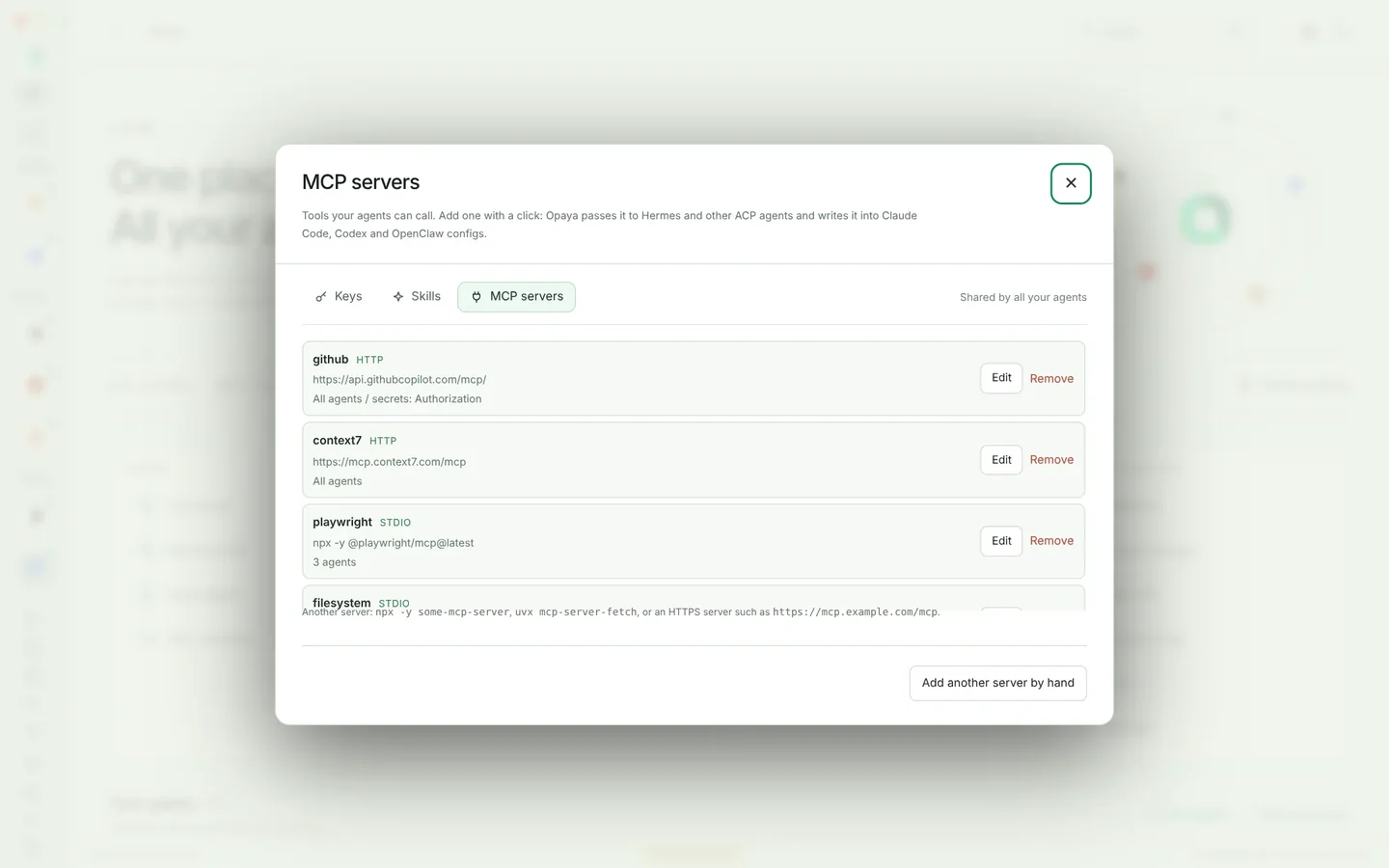
If your work spreads across several repositories, machines, and remote or containerized environments, that manual bookkeeping is where time disappears. OPAYA is a desktop workspace for installing, connecting, and managing AI agents on local computers, remote servers, and Docker — a single place to keep those environments and their agent configurations in view. You can see the current feature set at opaya.dev/features.
Keep reading

Codex CLI Setup: A Practical Walkthrough
Get Codex running locally and on a server with sane defaults for approvals, sandboxing and project context.
Read article →
How an AI Automation Agency Delivers an Agent to a Client
The delivery path that keeps client agent projects predictable, from discovery to a documented handover.
Read article →
The Agent Manager's Scoreboard: What to Track Across Every Machine
A short list of signals worth watching when agents run on several machines and for several people.
Read article →