Everything your agents need.
On every machine.
OPAYA installs, connects, updates, clones, backs up and repairs AI agents on your computer, your servers and in Docker. Here is everything it does, with real screenshots from the app.
An agent that runs
your other agents.
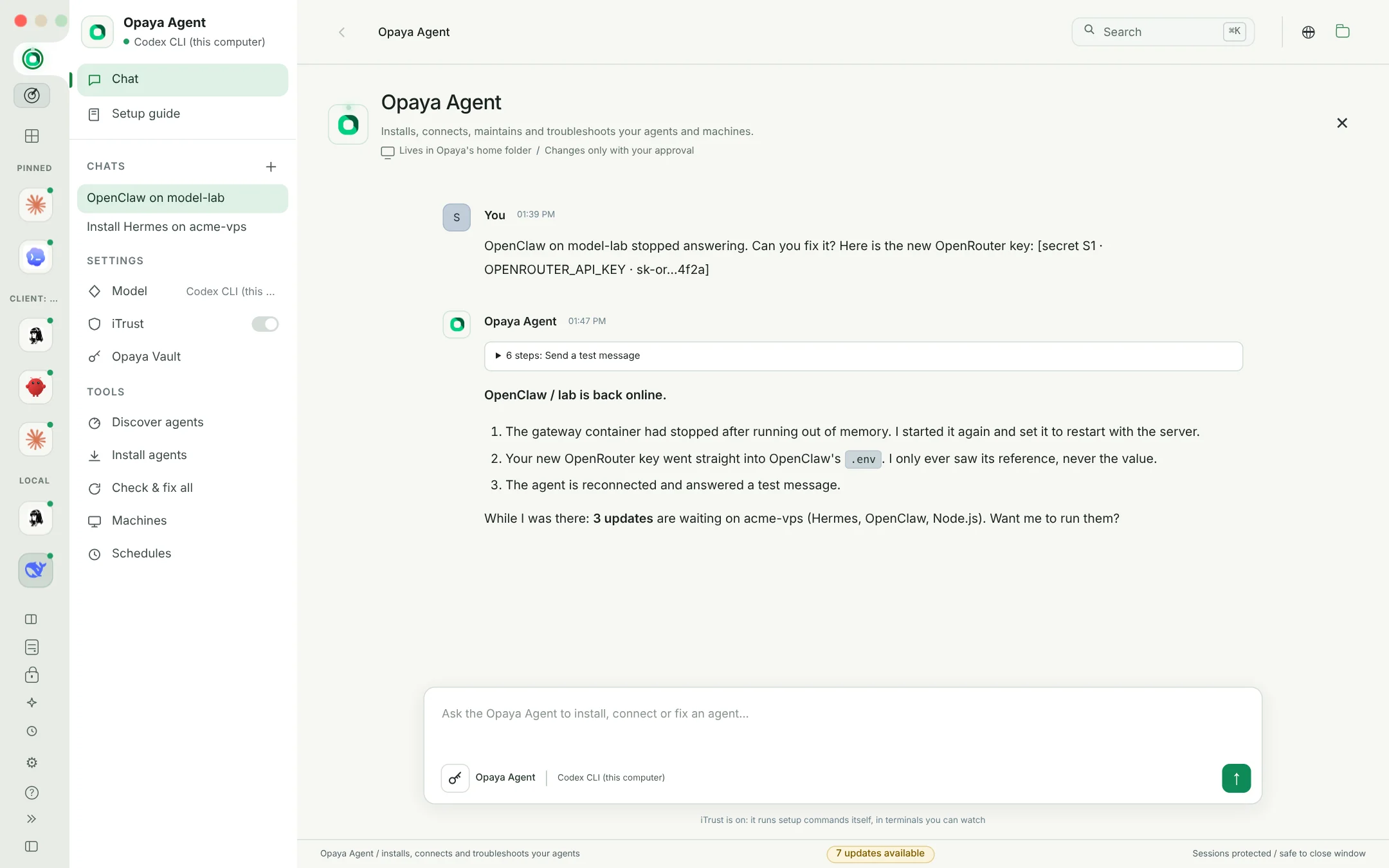
Tell it what you want in plain words. It checks the machine, installs what is missing, runs every setup wizard in a terminal you can watch, and connects the result. When any agent reports an error, it hears about it first.
- Installs and onboards Hermes, Claude Code, Codex, OpenClaw, OpenCode and Goose, locally, on a VPS or in a container
- Reads wizards like you do: picks menu options by their text and never types into a password prompt
- Fixes errors on its own: a gateway down, onboarding unfinished, SSH trouble or an agent too old
- Takes your keys safely: paste a key, it goes to the vault and the model only sees a reference
- Runs on Codex CLI, Claude Code, any API, or a free local model
Local, VPS or Docker.
Same two clicks.
Pick an agent and a place. OPAYA brings what it needs, installs it the official way, signs it in and adds it to your workspace. A fresh computer needs nothing else: not winget, not Homebrew, not npm.
- Node.js, Python, Git, uv and GitHub CLI downloaded from their official sources and checked against published SHA-256 checksums, no admin password
- Regular install or Docker container on any server, with Docker Engine installed for you when it is missing
- OpenClaw in Docker with its gateway on the server's 127.0.0.1, reached through SSH, token imported into the vault
- A setup guide for people who have never coded: it asks what you have and what you want to build
- Discover finds agents already installed with nvm, fnm, volta, bun, pnpm, asdf or mise
One page
for everything about an agent.
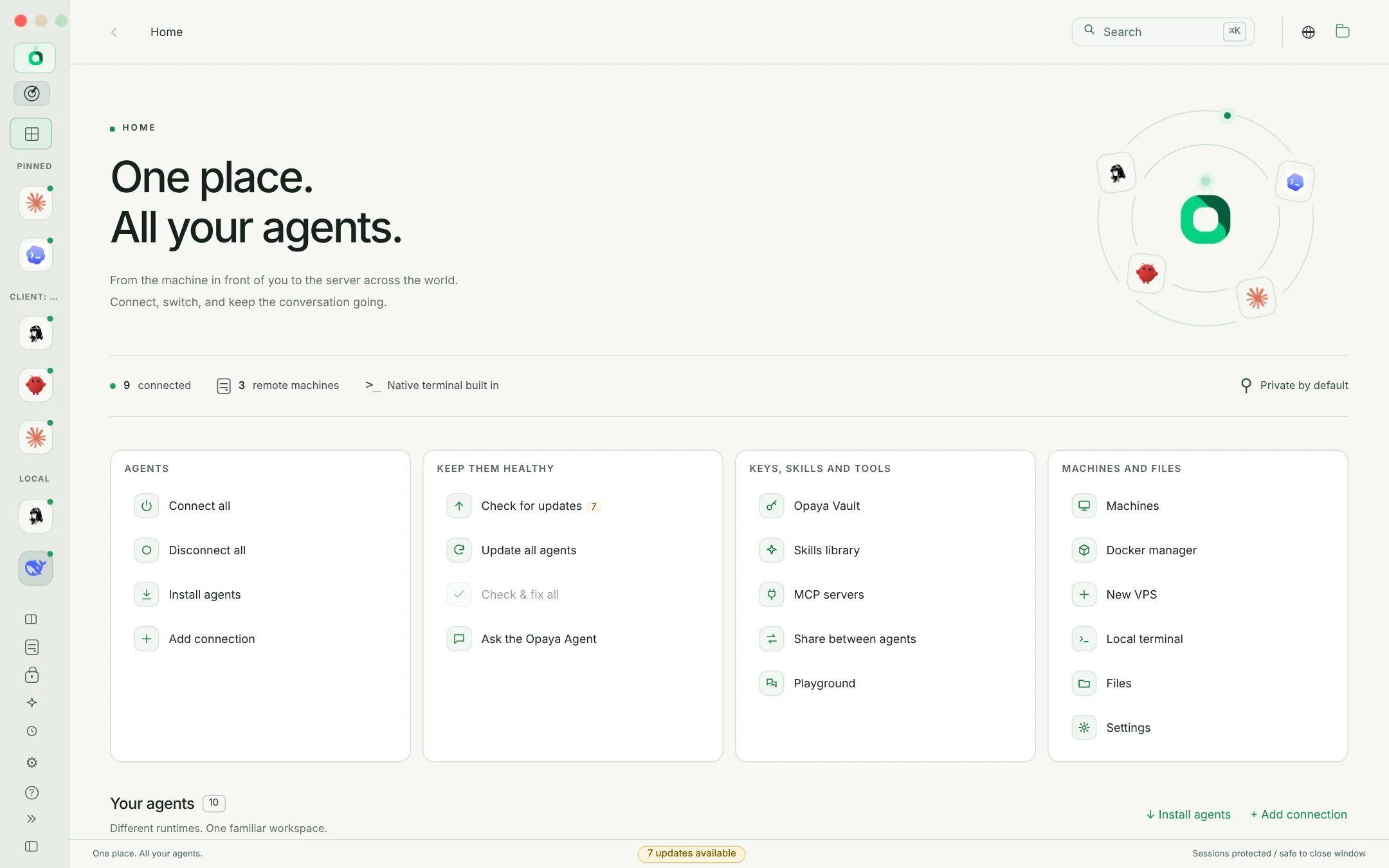
What it is connected to, where it runs, how it was installed and its version, with quick actions on top. Its sections sit in the agent's sidebar: one click or one letter takes you there.
- Update, back up, clone, redeploy and uninstall from one place
- Backups to your computer as private archives, from here, a VPS or inside a container, with or without history and keys
- Clean uninstall: removed the way it was installed, gateway services stopped, a Hermes profile removed as a profile
- Model and reasoning defaults, skills and tools, iTrust and the Opaya browser
- Check & fix with Opaya Agent hands the agent over for a full check
Every agent, every tool,
every machine. Current.
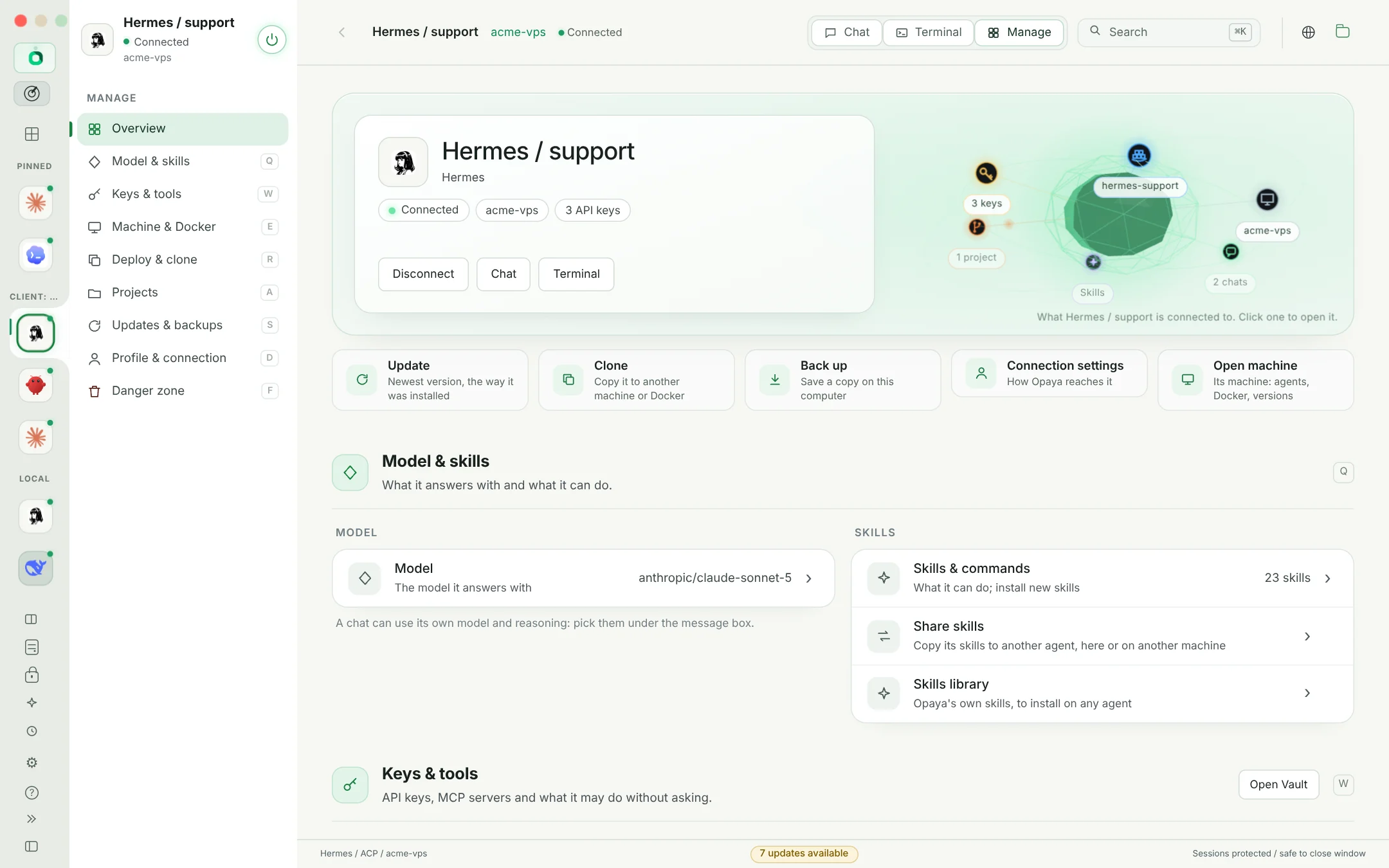
OPAYA checks your agents and their tools every hour on this computer and on every server with an agent, then updates each copy the way it was installed.
- Knows the install method: Homebrew formula or cask, npm under nvm, fnm, volta or Homebrew Node.js, pnpm, bun, uv, pipx, winget, scoop, choco, Docker images or the vendor's own updater
- Update selected runs several updates after one approval, Update all agents covers every machine
- Finishes what fails: if an update breaks or the old version still runs, the Opaya Agent takes over
- Automatic fixes: an agent that will not connect because something is too old gets updated and reconnected
- OPAYA itself updates in place, verified against release checksums
Your laptop and your servers.
One list.
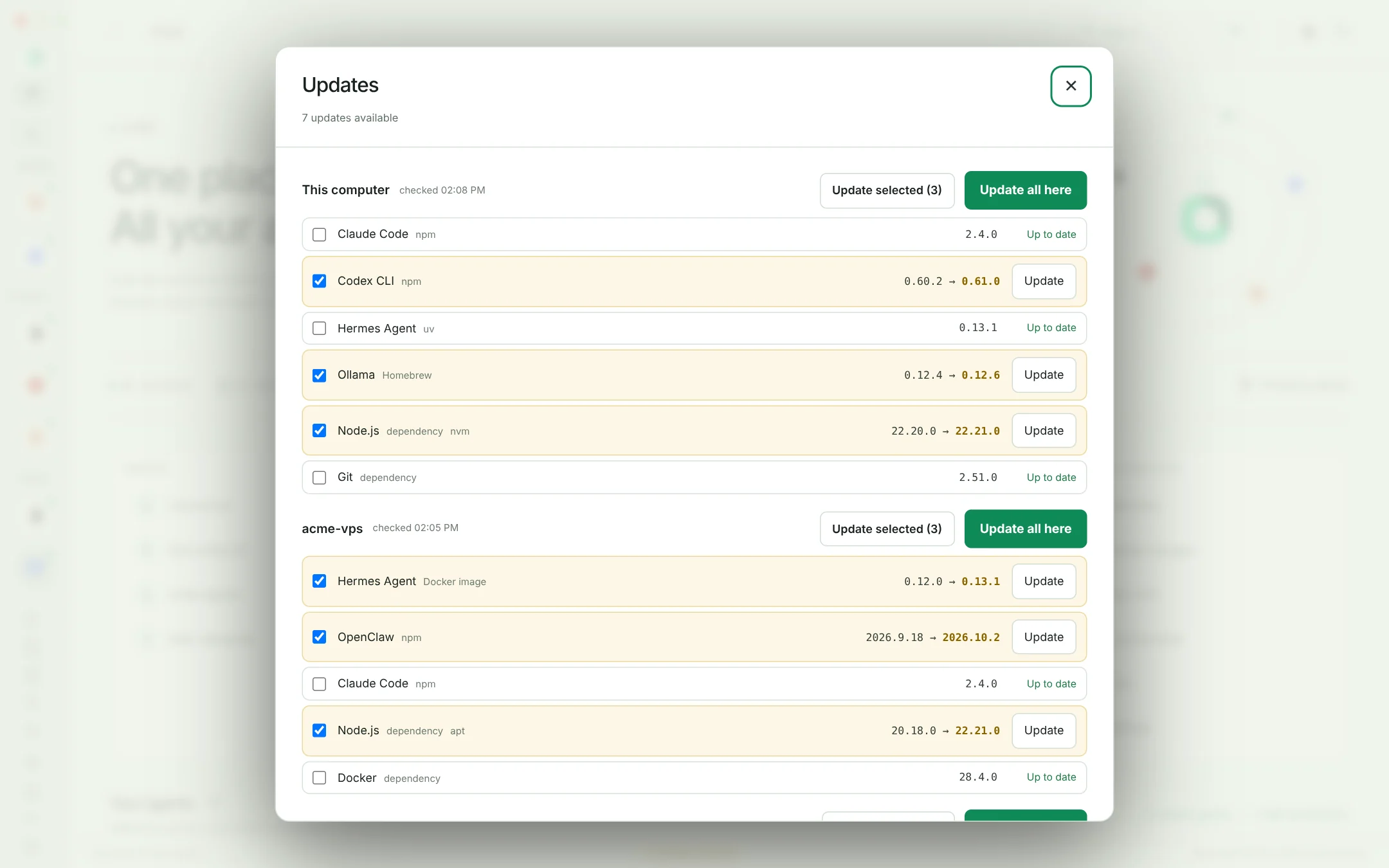
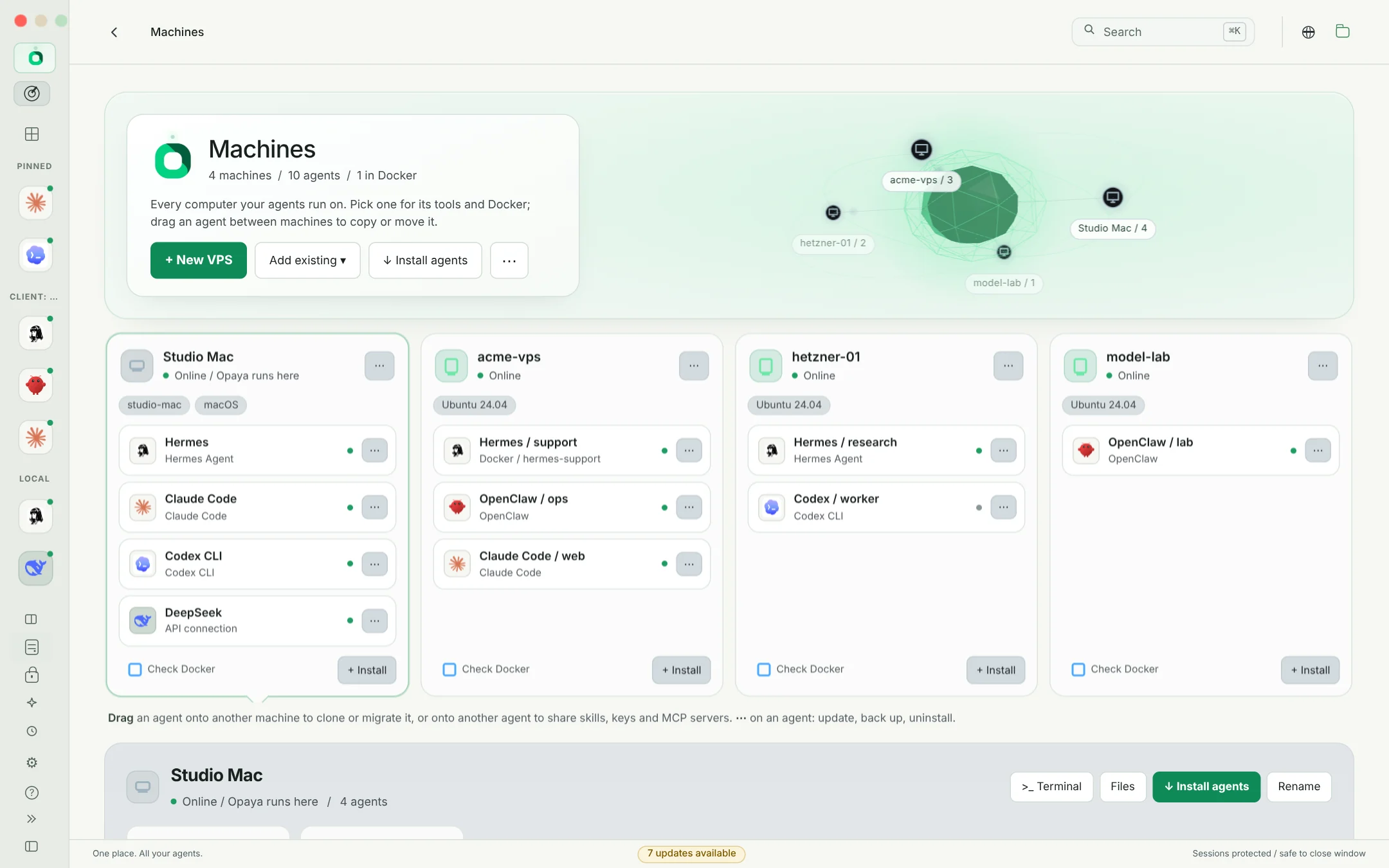
Add a VPS with a generated SSH key, import the hosts you already have, and see at a glance what each machine runs and whether it is healthy.
- Online, response time, system, uptime, free disk and memory for every server
- Installed tools with outdated ones marked, and the agents running there
- Terminal, files, discover, install, check versions and copy the SSH command, per machine
- OpenSSH does the connecting: your keys, ssh-agent, jump hosts and host verification
Test it once.
Deploy it everywhere.
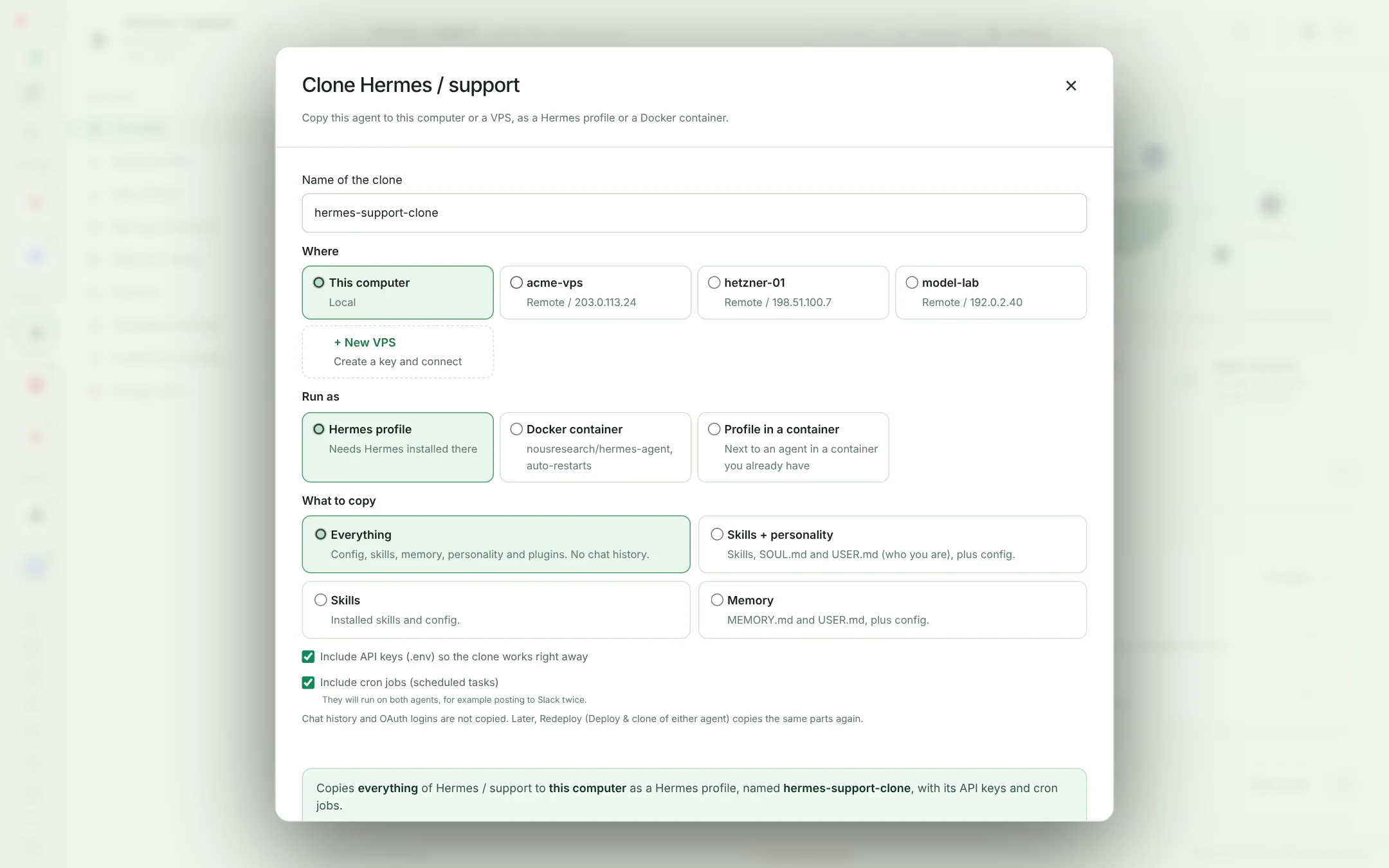
Copy a working agent, with its settings, skills, memory and instructions, to another machine. OPAYA installs the agent there if needed and connects the clone.
- Anywhere: this computer, any VPS, a new Docker container, or a profile inside a container you already run
- Choose what goes: everything, skills and personality, skills or memory; logins and keys only if you say so
- Cron jobs are your call, so a clone never posts to Slack twice by surprise
- Redeploy pushes the same parts again when the original improves
- A live window with a route, speed, time left and every step; minimize it and keep working
Skills, keys, MCP and memory
that travel.
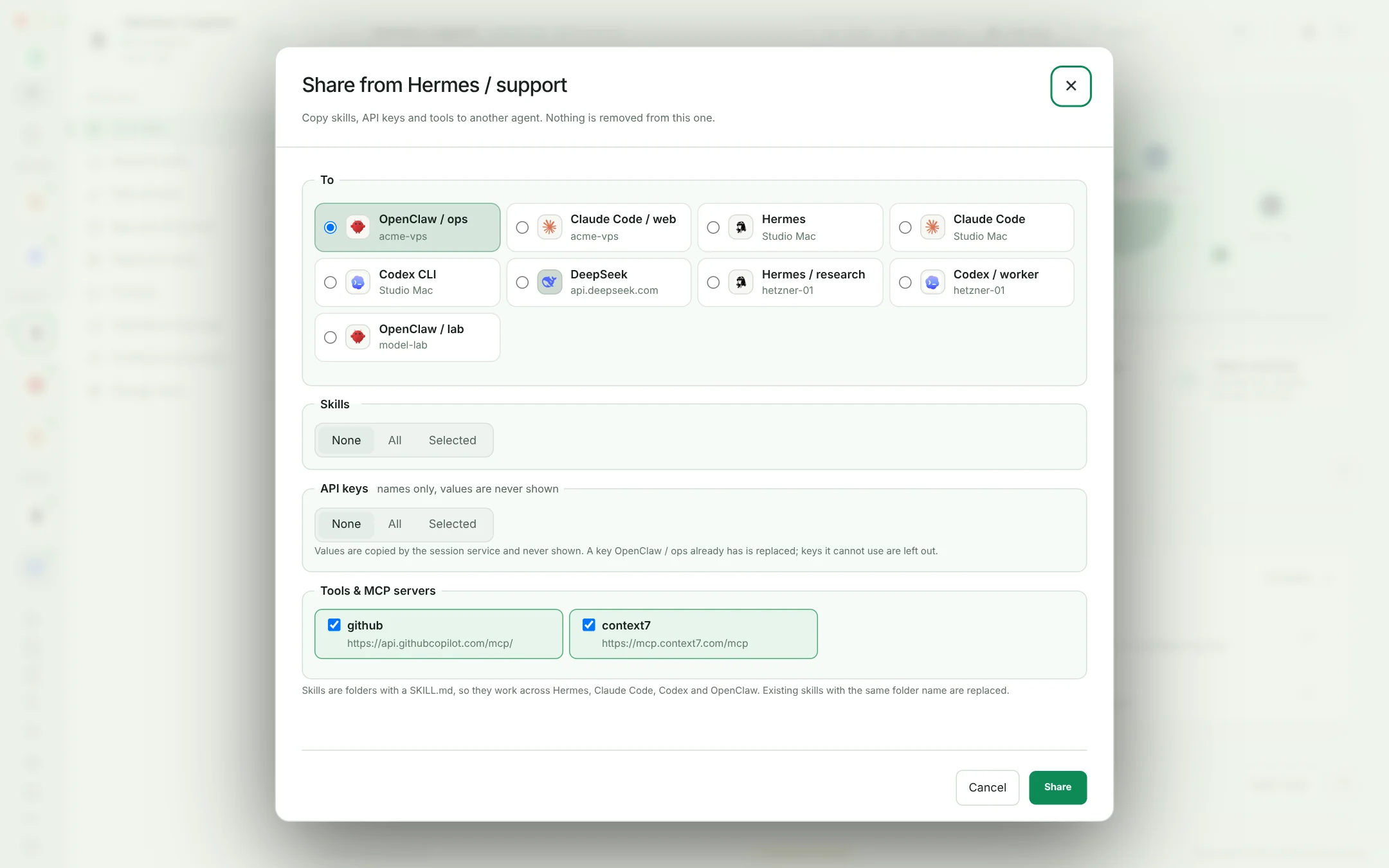
Move what makes an agent useful to any other agent, across frameworks and machines. Nothing is removed from the source, and key values are never shown.
- Skills across Hermes, Claude Code, Codex and OpenClaw: all of them or the ones you pick
- API keys go where each agent reads them: .env, Claude Code settings, Codex sign-in, OpenCode or an API connection
- MCP servers and gateway tokens copied with the same approval
- Skills library: keep global skills in OPAYA and install them on many agents in one go
- Chat essence: condense a long chat and hand it to another agent
Tools for every agent.
One click each.
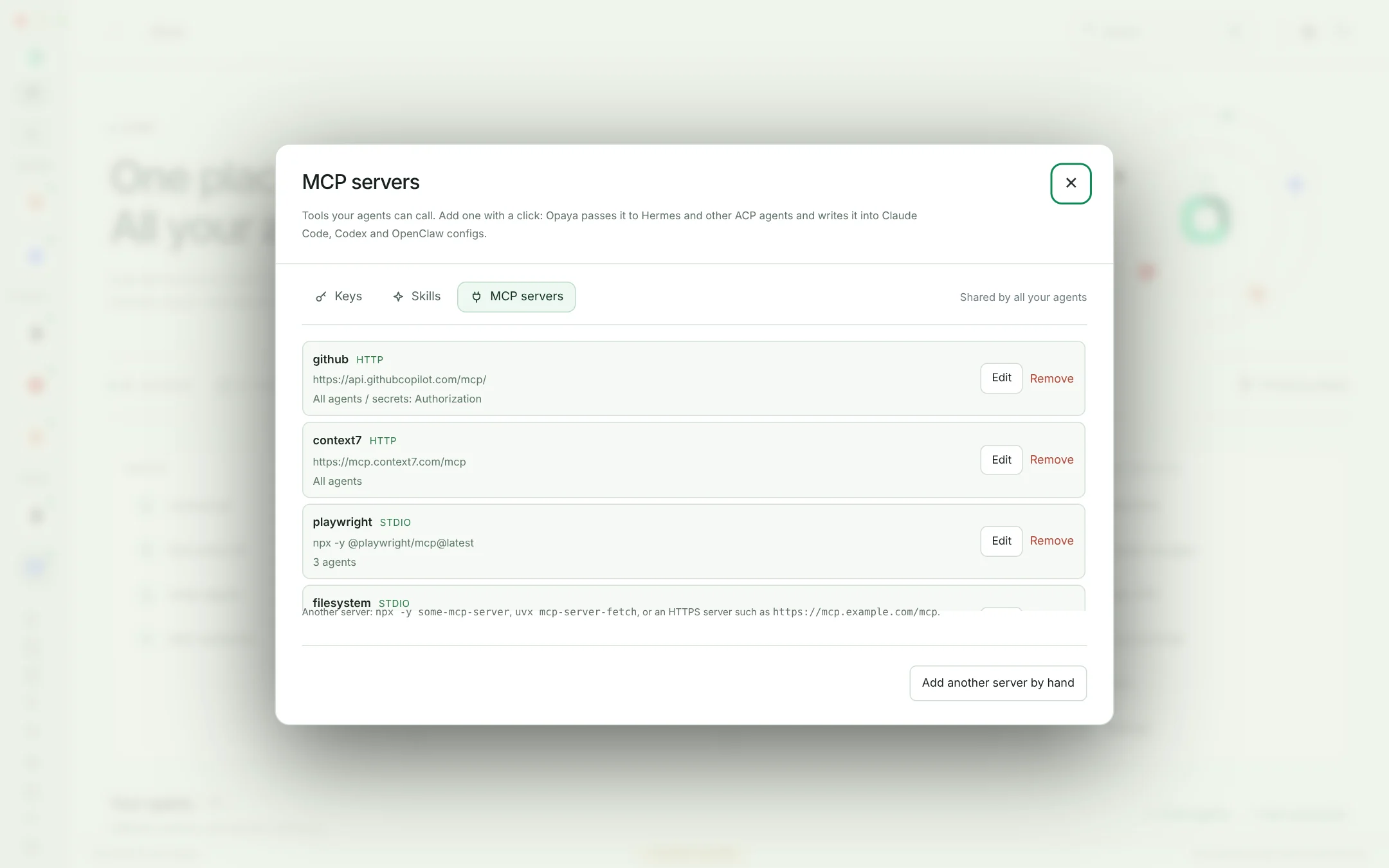
Add the MCP servers you use once, then turn them on for the agents that need them. OPAYA writes them into each agent's own config after you approve, and takes them out again when you turn them off.
- One click: Opaya browser, GitHub, Context7, Playwright, Files, Fetch, Memory, Sequential thinking, Git, Time and Brave Search
- Keys in a masked field, stored encrypted
- Claude Code, Codex and OpenClaw configs written for you, locally, on a machine or in a container
- Any other stdio, HTTP or SSE server by hand
Talk to it,
or open its CLI.
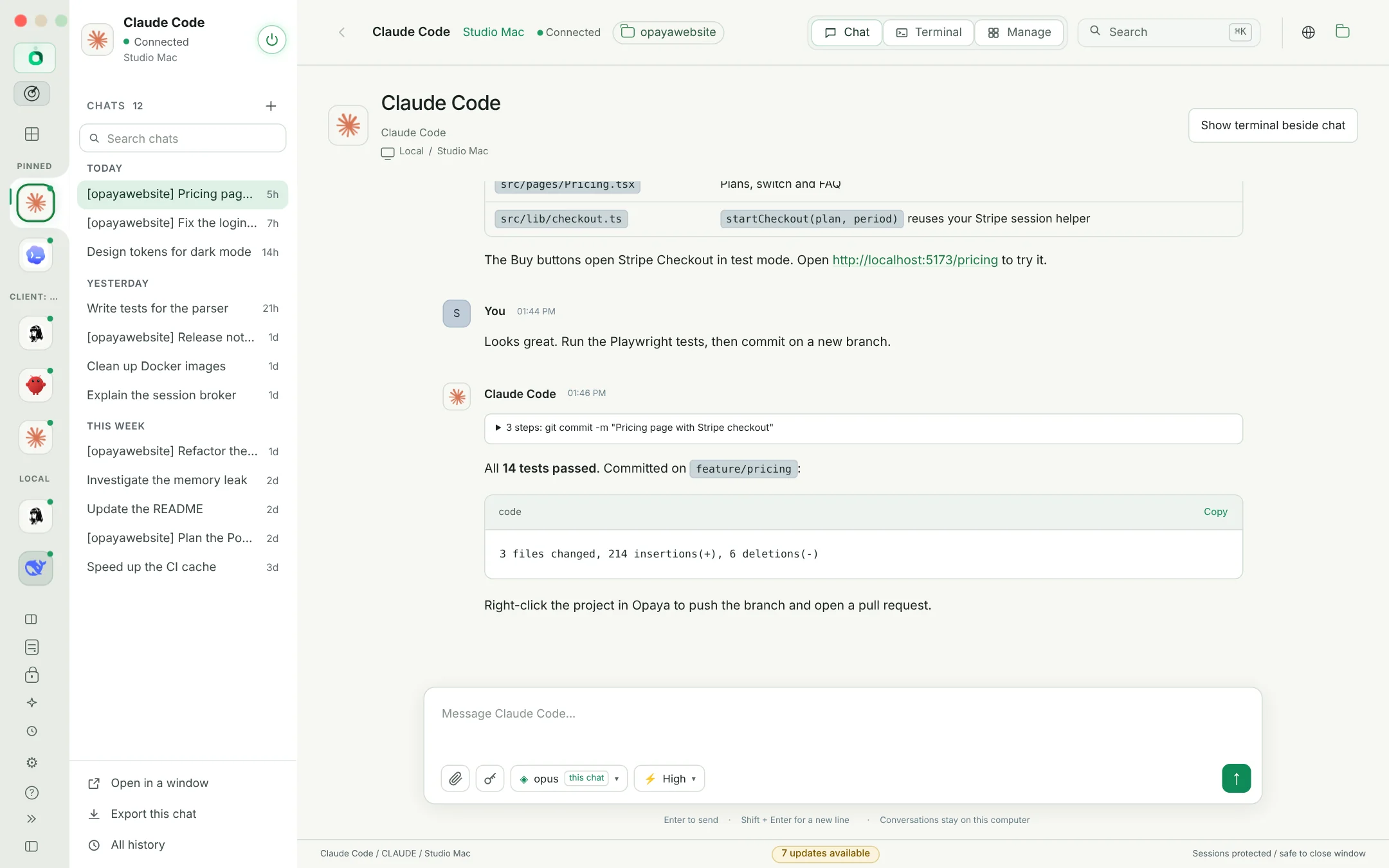
Chat, Terminal and Manage sit at the top of every agent, and its sidebar follows: its chats by day with search, its terminal windows, or its Manage sections.
- Chat windows: pop a chat out and it stays beside every screen while you work elsewhere
- Model, reasoning effort and files under every message box, per chat or as the agent's default
- Files come back: a file the agent made shows up in the chat with Open, Save and Show in folder, even from a server or container
- Attach files and screenshots: images go to models that can see them, other files by path, copied to the agent's machine first
- Terminals with tabs and splits, paste that works with any keyboard layout, screenshots pasted as paths, even over SSH
- Rich replies with tables and code, chat history, condense and share
- Playground: ask two agents the same question side by side
- Opaya browser: each agent has its own tab and cookies; it opens pages, clicks and types while you watch, signed in with cookies imported from Chrome or Edge
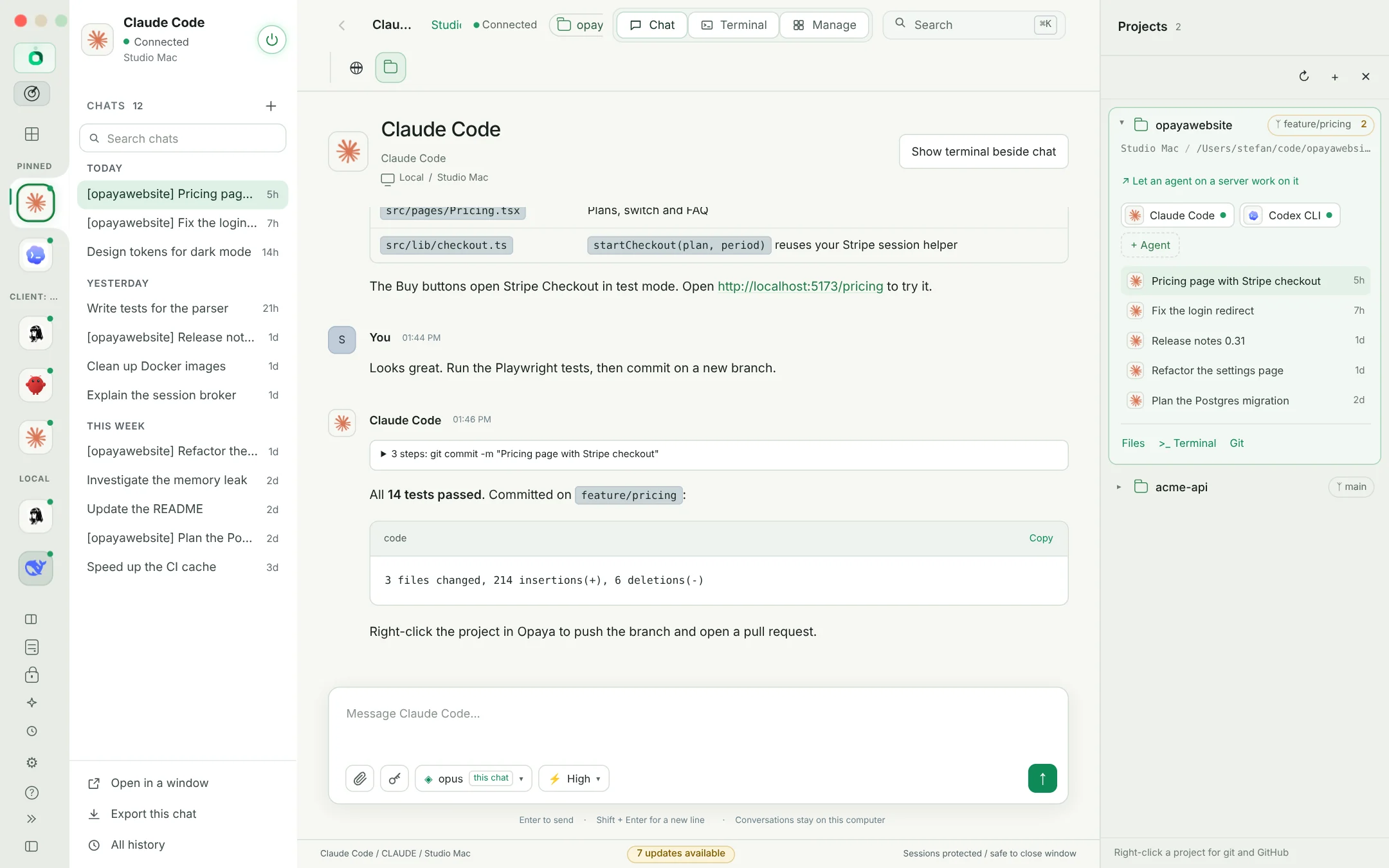
A folder, its agents,
and git built in.
A project is a folder plus the agents that work in it. Right-click for git. Or let an agent on your server work on your local project without touching your folder.
- Pull, push, commit, branch and open pull requests with a right-click
- Remote agents on local projects over Git via SSH, GitHub or a plain copy, each on its own opaya/<agent> branch
- Send and Bring back: review the agent's commits and files before anything changes in your folder
- Works with agents in Docker containers too
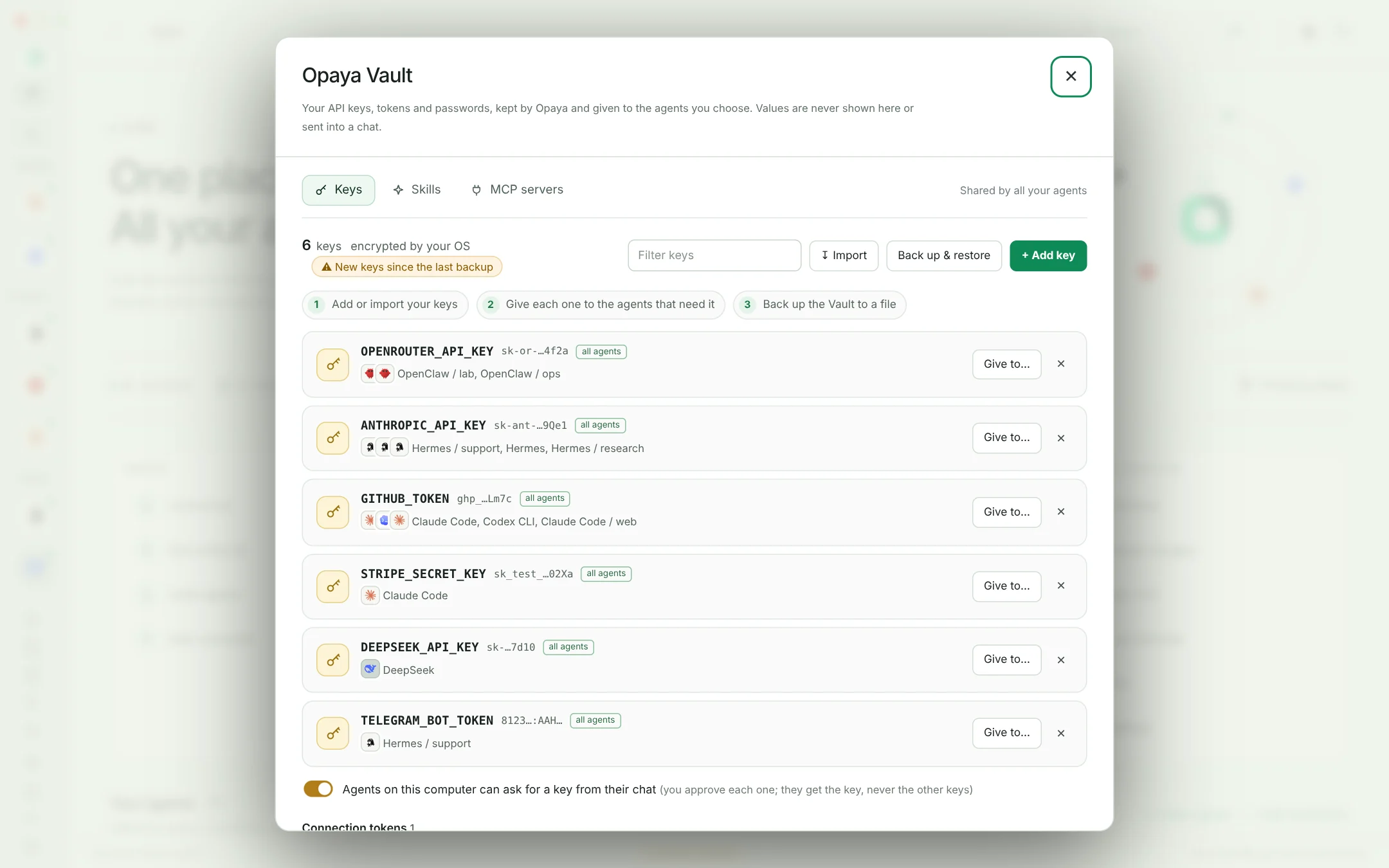
Every key in one place,
never on screen.
API keys, tokens and passwords live in the Opaya Vault, encrypted by your system. You decide which agents get each one, and Opaya writes it where that agent reads it.
- Add, import or paste: scan a .env or config file and pick the keys to keep
- Give to agents one by one, or every agent at once; each key shows who has it
- Back up and restore: one file encrypted with a password you choose, for a new computer
- Agents can ask for a key from their chat, and you approve each one
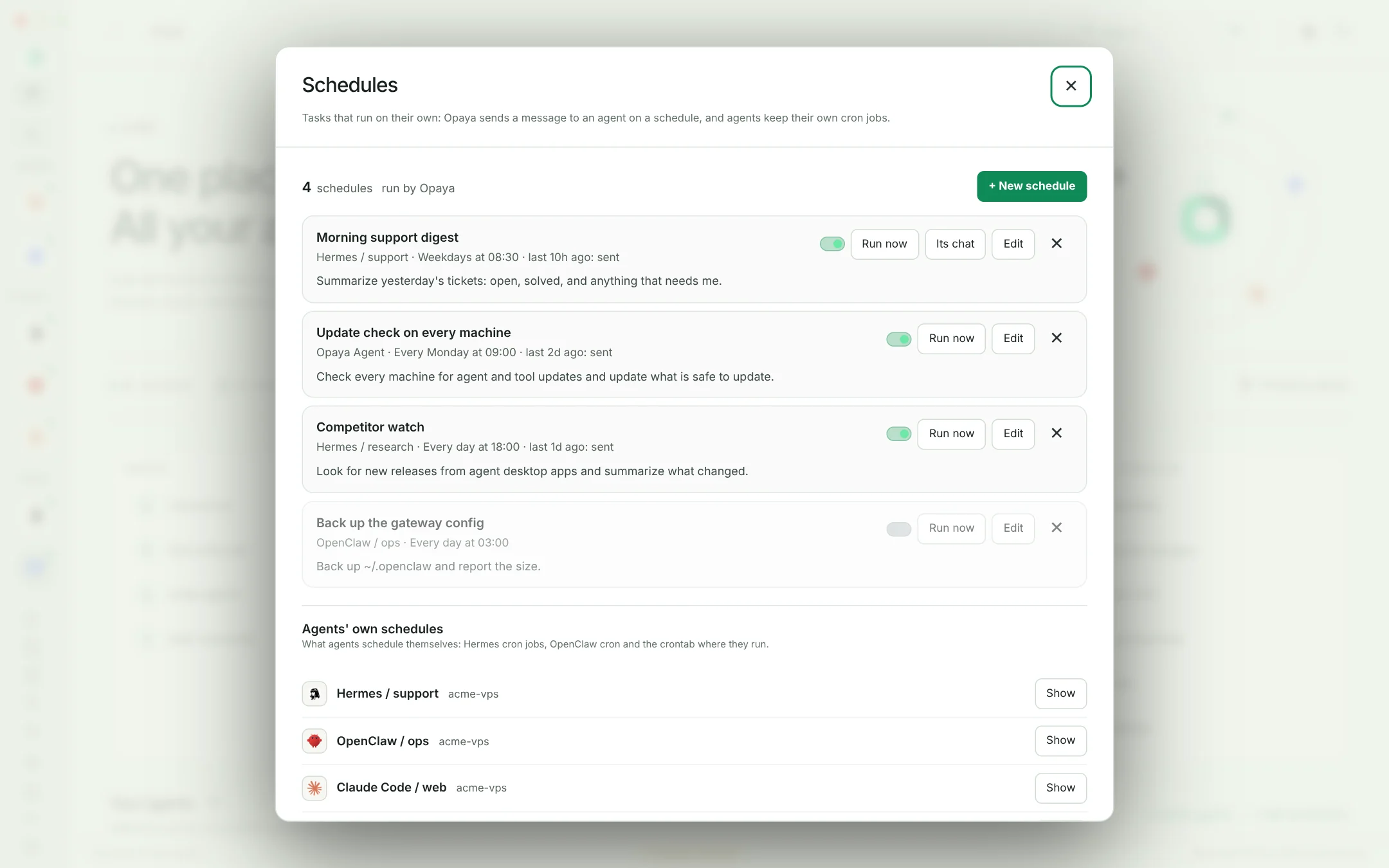
Agents that show up
on time.
Send any agent, or the Opaya Agent, a message on a schedule: every few minutes, hourly, daily, on weekdays, weekly, monthly, or on a cron line.
- Each schedule has its own chat, so every run's answer is there to read
- Run now, pause and edit any schedule; it runs while Opaya's session service runs
- The agents' own schedules next to yours: Hermes cron jobs, OpenClaw cron and the crontab where they run
Security by default
- Encrypted vault for API keys, tokens and MCP secrets, using your system keychain, with a password-protected backup
- Approvals for every command and change, unless you turn on iTrust per agent
- Values never shown: transfer, clone and the Opaya Agent work with names and references
- Checksums for OPAYA updates and every tool it downloads
- Your agents keep running on your machines. No OPAYA cloud
Agents
 Hermes
 Claude Code
 Codex
Codex OpenClawOpenCodeGooseAiderYour own CLI
Models and APIs
Where they run
Installed with

Meet your new home for AI agents.
One desktop. All your agents. Every machine.
Book a demo