opaya
opayaHow to Update AI Agents Safely Across Several Machines
A cautious routine for keeping agent tools current.
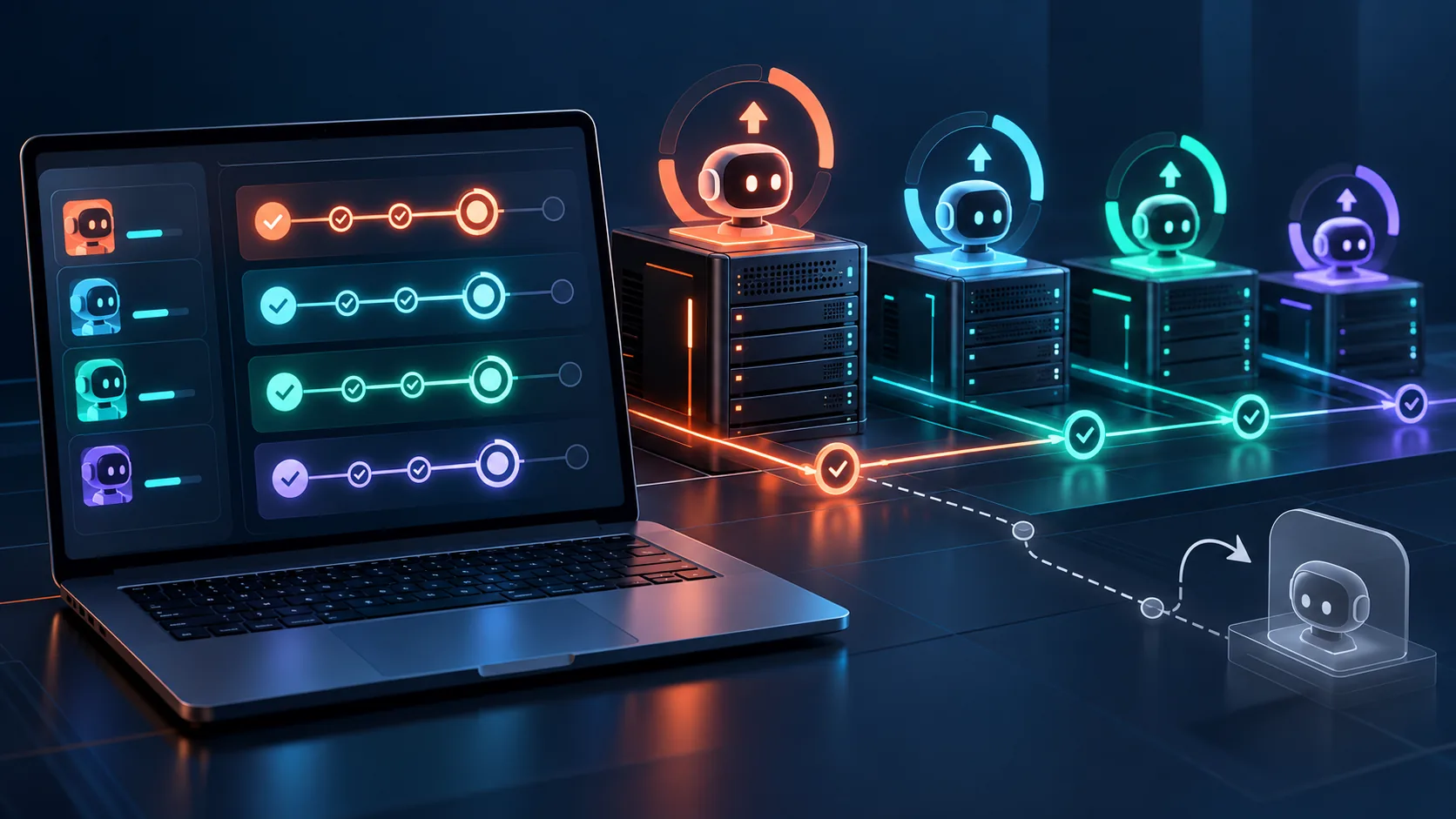
Operating a fleet of AI agents in a production setting often means managing an array of runtimes scattered across diverse infrastructures. From local development computers and on-premise remote servers to containerized deployments running in Docker, keeping these environments synchronized is a complex operational challenge. As AI frameworks evolve at a breakneck pace, teams must regularly apply updates to benefit from improved reasoning capabilities, better memory management, and critical security patches.
However, if you want to update AI agents safely across several machines, you must adopt a highly systematic approach. Unlike traditional software, AI agents exhibit non-deterministic traits; a seemingly minor patch can drastically alter how an agent interacts with your system.
Why Updating AI Agents Requires a Unique Strategy
When you update standard web servers or databases, the primary concerns are API compatibility and downtime. Updating AI agents introduces a completely different layer of complexity: behavioral changes. It is vital to acknowledge that version-specific behavior can change significantly between releases. An update to an agent framework might alter how it constructs prompts under the hood, how it manages conversation memory, or how strictly it adheres to tool-calling schemas.
Because agents autonomously execute tasks based on underlying LLM responses, a framework update might inadvertently cause the agent to become more verbose, consume more tokens, or fail to parse specific JSON outputs that worked flawlessly in the previous version. Furthermore, deploying these tools across fragmented environments—ranging from bare-metal remote servers to isolated Docker containers—multiplies the risk of environment-specific failures. To mitigate these risks, operators must move away from ad-hoc updates and embrace a rigorous, staged deployment lifecycle.
Prerequisites: Securing Your Agent Fleet Before an Update
Before executing any commands, you must establish a clear picture of your current infrastructure and secure your existing state. Preparation is the most critical phase of safely updating your agent fleet.
1. Audit Install Methods Across Environments
AI agents are deployed using a variety of mechanisms depending on the host environment. Before planning an update, explicitly identify how the agent was installed on each target machine. Local development computers might rely on Python virtual environments managed by pip or poetry, or Node.js environments utilizing npm. Remote servers might use compiled binaries or globally installed packages. Meanwhile, your production workloads are likely running inside Docker containers, relying on specific image tags. The update mechanism will differ entirely based on the install method—running docker pull requires a different rollback strategy than reverting a requirements.txt file.
2. Document Current Framework and Dependency Versions
Never update blindly. You must check versions across your entire fleet to establish a baseline. Are all your machines running the exact same version, or has configuration drift occurred? Document the current version of the agent framework, the specific version of the underlying runtime (like Python 3.11 or Node 20), and the versions of critical dependencies (such as vector database clients or API wrappers). This inventory is essential if you need to restore the previous state.
3. Back Up Agent States, Databases, and Prompts
Always back up first. Unlike stateless microservices, AI agents often maintain local state, cache directories, or SQLite databases holding conversation memory and embedding indices. If an update modifies the schema of this local database, downgrading later might corrupt the state. Ensure you back up all configuration files (like .env files containing API keys), local memory stores, and custom system prompt templates before initiating the update process.
Implementation: A 4-Step Staged Rollout Strategy
A staged update process is the industry standard for minimizing risk across distributed systems. Instead of updating all your local, remote, and Docker instances simultaneously, you should progressively roll out the update, monitoring for regressions at each stage.
Step 1: The Local Development Test
Always begin by updating the agent on a single local development machine. This is your lowest-risk environment. Isolate the update in a fresh virtual environment or a local Docker container. Run your standard suite of agent tasks. Does the agent still connect to your LLM provider? Are tool calls executing as expected? This initial step catches glaring syntax errors or major breaking changes in the framework's API.
Step 2: Canary Releases on Remote Infrastructure
Once the local test passes, move to staged updates on your remote infrastructure. Select a single, non-critical remote server or a single Docker container within your cluster. Apply the update to this isolated "canary" node. Direct a small percentage of your staging or internal traffic to this specific agent.
This phase is critical because remote servers often possess different network configurations, firewall rules, and hardware profiles than local machines. A staging rollout ensures that the new agent version can successfully communicate with internal databases and external APIs from within your actual network topology without impacting the broader system.
Step 3: Soak Testing for Memory Leaks and Errors
Leave the canary node running for an extended period—a process known as soak testing. AI agents often run into issues only after extended interactions, such as context window overflow, memory leaks, or rate-limiting complications introduced by aggressive new retry logic in the updated framework. Monitor the canary node's logs and resource consumption carefully.
Step 4: Fleet-Wide Production Deployment
Only after the canary node has proven stable should you proceed with a broader rollout. Group your remaining machines logically—perhaps updating all remote testing servers first, followed by the production Docker swarms. Applying the update in batches limits the blast radius if an unexpected edge case emerges late in the process.
Post-Update Verification Checklist
The update process is not complete just because the installation command exited successfully. You must verify post-update functional behavior to ensure the agent is operating within your defined parameters. Use this checklist across all environments:
- Connectivity Validation: Verify that the agent can successfully authenticate with the primary LLM provider (e.g., OpenAI, Anthropic, or local models) and external tools (APIs, databases).
- Tool Calling Accuracy: Run a deterministic test where the agent must format a response using a specific JSON schema or execute a specific function. Check if the updated version introduces formatting hallucinations.
- Resource Monitoring: Inspect CPU and memory utilization. Has the new version introduced a memory leak during long-running tasks?
- Log Inspection: Review the application logs for deprecation warnings. While the agent might be functioning now, these warnings indicate future technical debt that must be addressed.
- State Persistence: Ensure the agent can still read historical memory or existing vector embeddings created by the previous version.
Crafting a Reliable Rollback Procedure
Even with rigorous testing, an update can fail when exposed to edge cases in production. You must document rollback procedures clearly before they are needed. A rollback plan should not simply say "revert the update." It needs to be a step-by-step, executable runbook.
For Docker environments, documenting the rollback might involve specifying the exact previous image tag (e.g., changing docker-compose.yml from agent:v2.1 back to agent:v2.0) and running docker-compose up -d --force-recreate. For local computers and remote servers using package managers, provide the exact commands to uninstall the new version and reinstall the pinned older version. Crucially, the rollback document must also include instructions for restoring the state and memory backups you created during the prerequisite phase, as the newer agent version may have irreversibly migrated the database schema.
Troubleshooting Common Edge Cases During Updates
When you update AI agents safely across several machines, you will inevitably encounter edge cases. Being prepared for these anomalies is what separates robust operations from chaotic firefighting.
Dependency Conflicts
AI agents rely on a complex web of underlying libraries, from tokenizers to asynchronous HTTP clients. An update to the core agent framework might enforce a newer version of a shared library, which in turn could break other customized tools or scripts running on the same remote server. Utilizing isolated environments—such as dedicated Docker containers or strict Python virtual environments—is the most effective way to prevent these cross-application dependency conflicts.
Network Interruptions During Deployment
If a network interruption occurs while pulling a large Docker image or downloading a hefty binary to a remote server, the installation might fail silently or leave the environment in a corrupted, half-installed state. Always ensure your deployment scripts check for successful exit codes and have mechanisms to clean up temporary files and retry the installation if a failure is detected.
Prompt Drift and Hallucinations
As mentioned earlier, an update might subtly change how the framework parses system instructions. You might find that a prompt that yielded 99% accuracy in version 1.0 now yields only 80% accuracy in version 1.1 due to changes in how the framework manages the context window. If you detect prompt drift, you may need to pause the fleet rollout, adjust your system prompts to align with the new framework mechanics, and restart the canary testing phase.
Streamlining AI Agent Updates with OPAYA
Managing this complex lifecycle manually across disparate environments is tedious and error-prone. This is where a dedicated desktop workspace like OPAYA becomes invaluable for operators and developers.
OPAYA provides a unified interface specifically designed to connect and manage AI agents on local computers, remote servers, and Docker instances. Instead of SSHing into multiple machines or managing a dozen different terminal windows, operators can view the status, versions, and health of their entire agent infrastructure from a single dashboard.
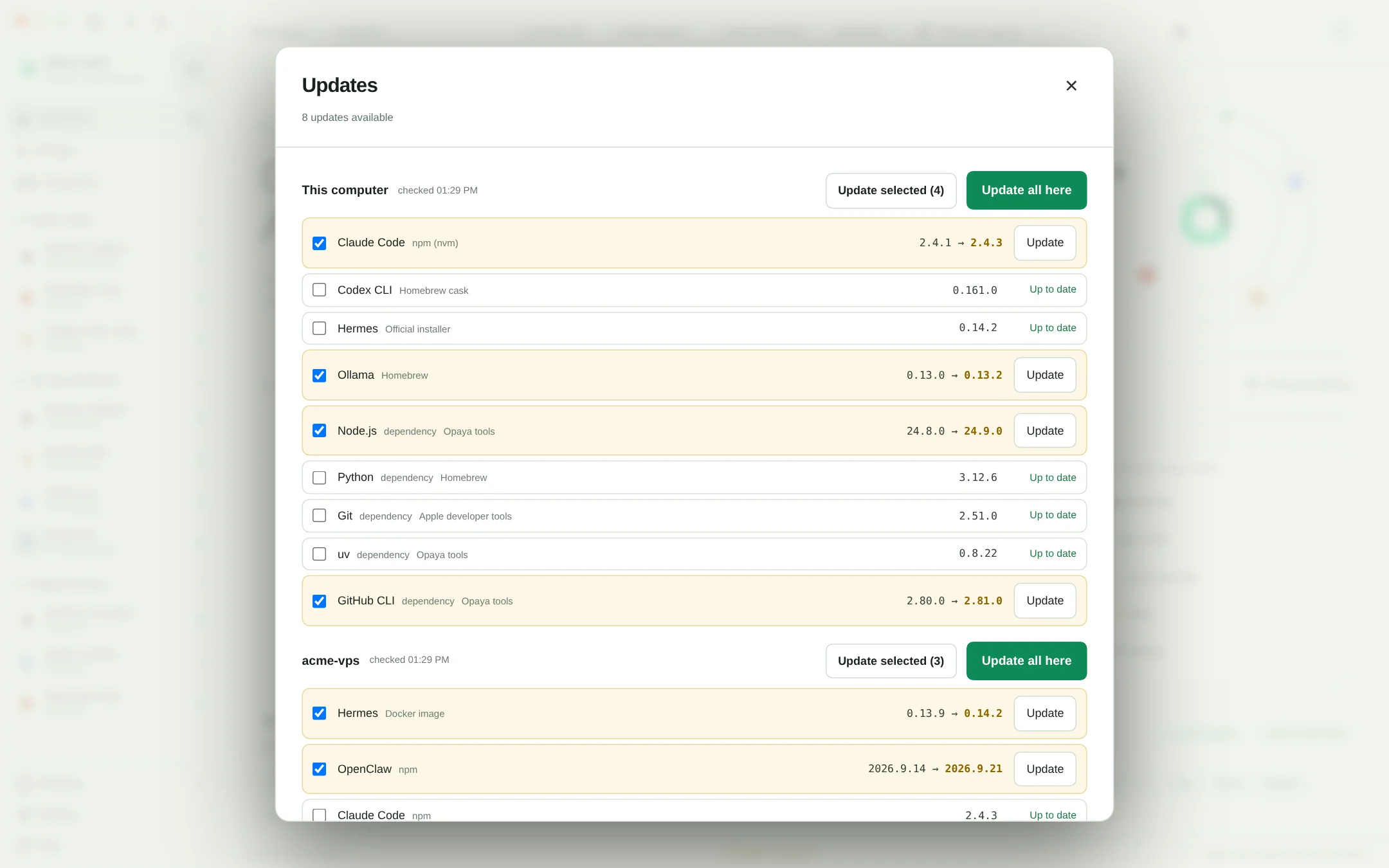
When it comes time to execute your staged rollout, OPAYA streamlines the process with precision tools. Utilizing the Update selected capability, you can highlight specific agent runtimes—such as your designated canary servers or local testing environments—and push the update exclusively to them. This granular control perfectly supports the cautious, staged deployment strategy required for AI agents.
Once your post-update verification is complete and you are confident in the stability of the new version, you can leverage OPAYA's Update all functionality. This allows you to deploy the approved update across the remainder of your connected infrastructure seamlessly, ensuring version consistency without the manual overhead of updating each machine individually. By centralizing management, OPAYA significantly reduces the operational friction of keeping your agent tools current.
Frequently Asked Questions (FAQ)
Why shouldn't I just use the "latest" tag for my agent Docker images? Using the "latest" tag is highly risky in production. It circumvents the staged rollout process and can automatically pull breaking changes into your infrastructure whenever a container restarts. Always pin your installations to specific version numbers. How do I handle updates that require database schema migrations? First, ensure you have backed up the database. Apply the update and migration to a staging server first. Verify that the agent can read and write to the migrated schema. During a rollback, you must revert both the agent version and restore the database backup, as newer schemas are rarely backwards compatible. What should I do if an update breaks a specific tool integration but fixes critical bugs? You have to weigh the trade-offs. If the critical bug poses a security risk, you may need to update immediately and implement a temporary workaround for the broken tool. If it is purely a feature update, delay the fleet-wide rollout until the framework developers patch the tool integration, or until you can rewrite your custom tool to accommodate the new framework. Can I run multiple versions of an agent on the same machine? Yes, provided they are properly isolated. Using Docker containers or distinct virtual environments allows you to run version 1.0 alongside version 1.1 on the same remote server, which is highly useful for A/B testing behavioral changes.Next Steps for Safe Agent Deployment
Updating AI agents does not have to be a source of anxiety. By acknowledging the unique behavioral risks of agent frameworks, identifying your install methods, backing up states, and adhering strictly to a staged rollout process, you can maintain a secure and capable fleet. Remember to document your rollback procedures before you need them, and always verify the agent's functional behavior post-update.
If you are managing multiple agent tools across local, remote, and Docker environments, you need a workspace built for the task. Streamline your deployment strategies, monitor your runtimes, and utilize targeted "Update selected" and "Update all" capabilities to maintain total control over your infrastructure. Explore how OPAYA can simplify your agent operations today.