FOR AGENT MANAGERS

You run agents for other people.
Run them from one place.

Clients, teams, projects, models and servers multiply fast. OPAYA gives you one workspace to deploy, clone, update, back up and fix every agent on every VPS and Docker host you look after, and to move skills, MCP servers, secrets and memory between them.

See Opaya in action

See OPAYA in a 30-minute walkthrough with n8n Lab: your agents on this computer, on servers and in Docker, plus answers to your questions.

Book a demo
Works with
  • Claude Code
  • Codex
  • Hermes
  • OpenClaw
Group agents per clientEvery VPS and containerUpdates everywhereSecrets never shown
01 / YOUR FLEET

Every client.
Every agent. One view.

Group agents per client or team, tag them, and filter by status, place and tag. See what is connected, what needs attention and what runs where.
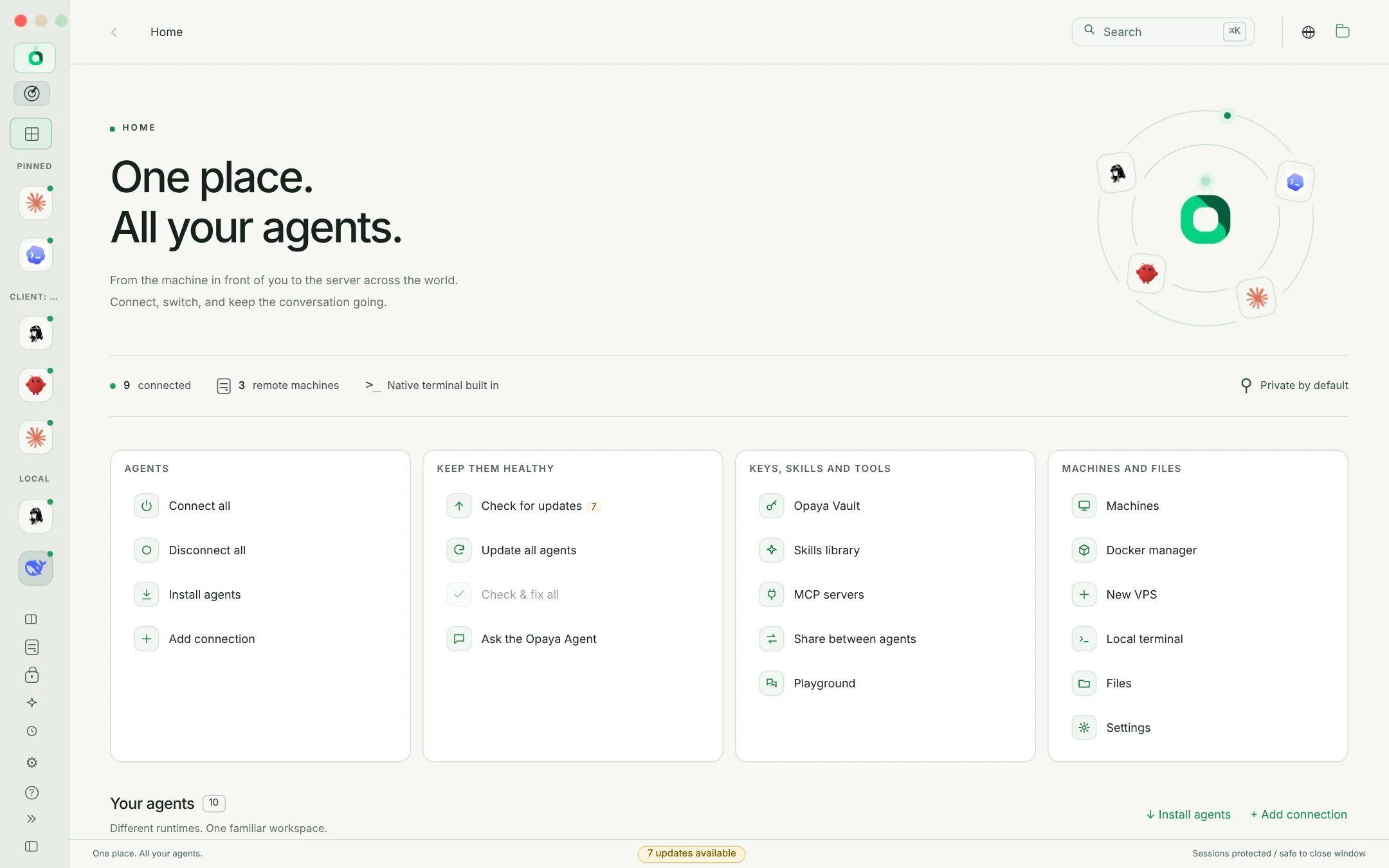
  • Groups and tags such as Client: Acme, #prod or #support
  • Filters by status, this computer, VPS or Docker, with live counts
  • Connect all, Check & fix all, Update all agents from the Workspace
  • Local agents, remote agents and API connections side by side
OPAYA Home with agents grouped for a client in the icons-only sidebar and quick actions for the whole fleet
Home: every agent grouped in the sidebar, and fleet-wide actions one click away.
02 / DEPLOY

Build it once.
Roll it out in minutes.

Perfect an agent on your own machine, then clone it to the client's server with its settings, skills, memory and instructions. OPAYA installs the agent there first if needed.
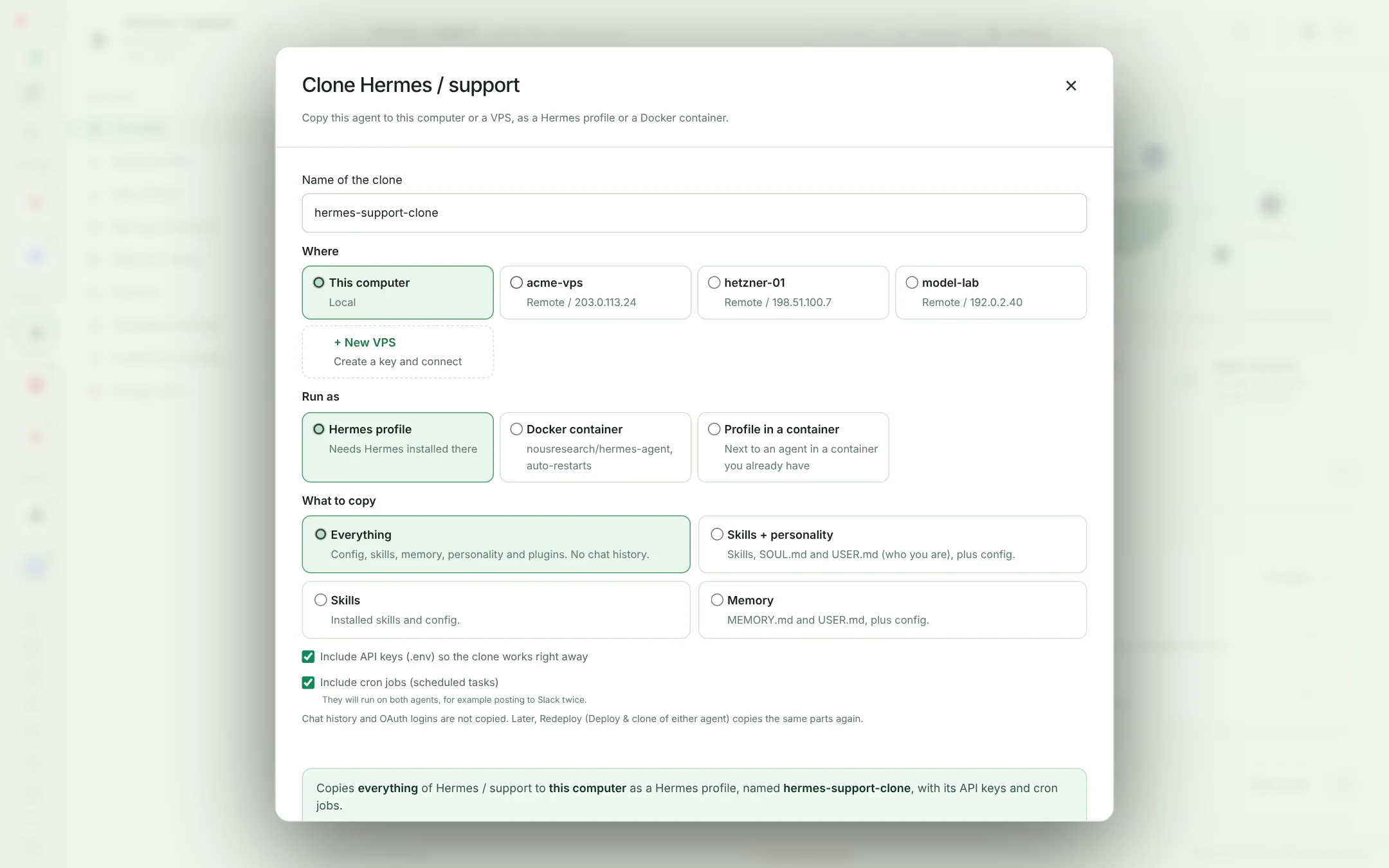
  • As a regular install, a Docker container, or a profile inside a container that already runs there
  • New VPS makes an SSH key and walks you through adding the server
  • Logins and keys only when you choose, chat history never
  • Redeploy the same parts again when you improve the original
OPAYA Clone dialog sending a support agent to a VPS as a Docker container
A client's support agent cloned to a staging server in Docker.
03 / MAINTAIN

Updates checked everywhere.
Applied the right way.

OPAYA checks every agent and tool on every machine every hour, knows how each one was installed, and updates them after one approval. What fails, the Opaya Agent finishes.
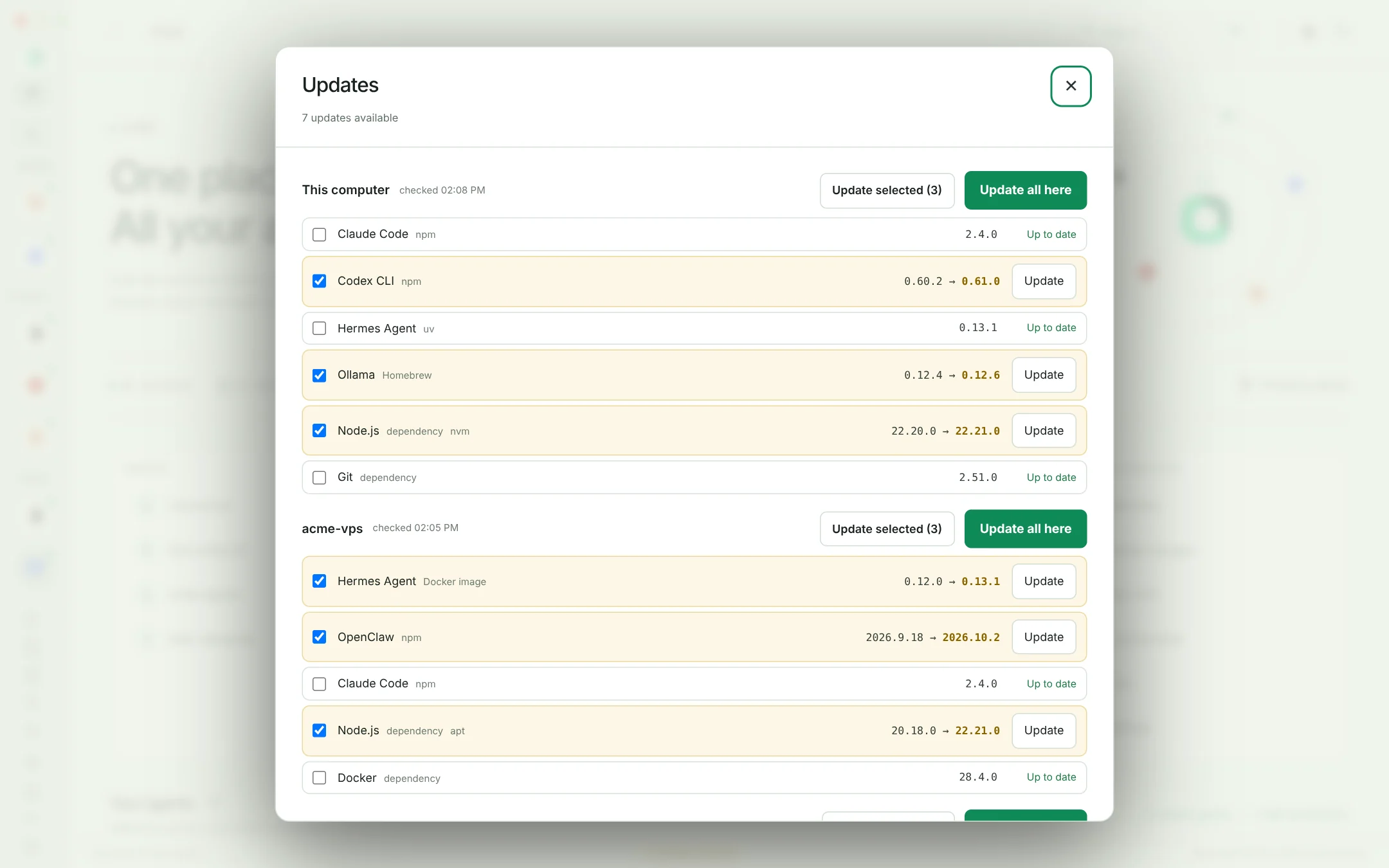
  • Per machine: installed and latest versions, and how each tool was installed
  • Update selected or Update all, across every server
  • Docker agents get the new image and keep their data, port and token
  • Automatic fixes when an agent will not connect because something is too old
OPAYA Updates showing outdated agents and tools on this computer and a client VPS
Eight updates on two machines, ticked and run with one approval.
04 / MACHINES

Know every server
before the client calls.

Test every machine at once: online or not, how fast it answered, its system, uptime, free disk and memory, the tools installed and the agents running there.
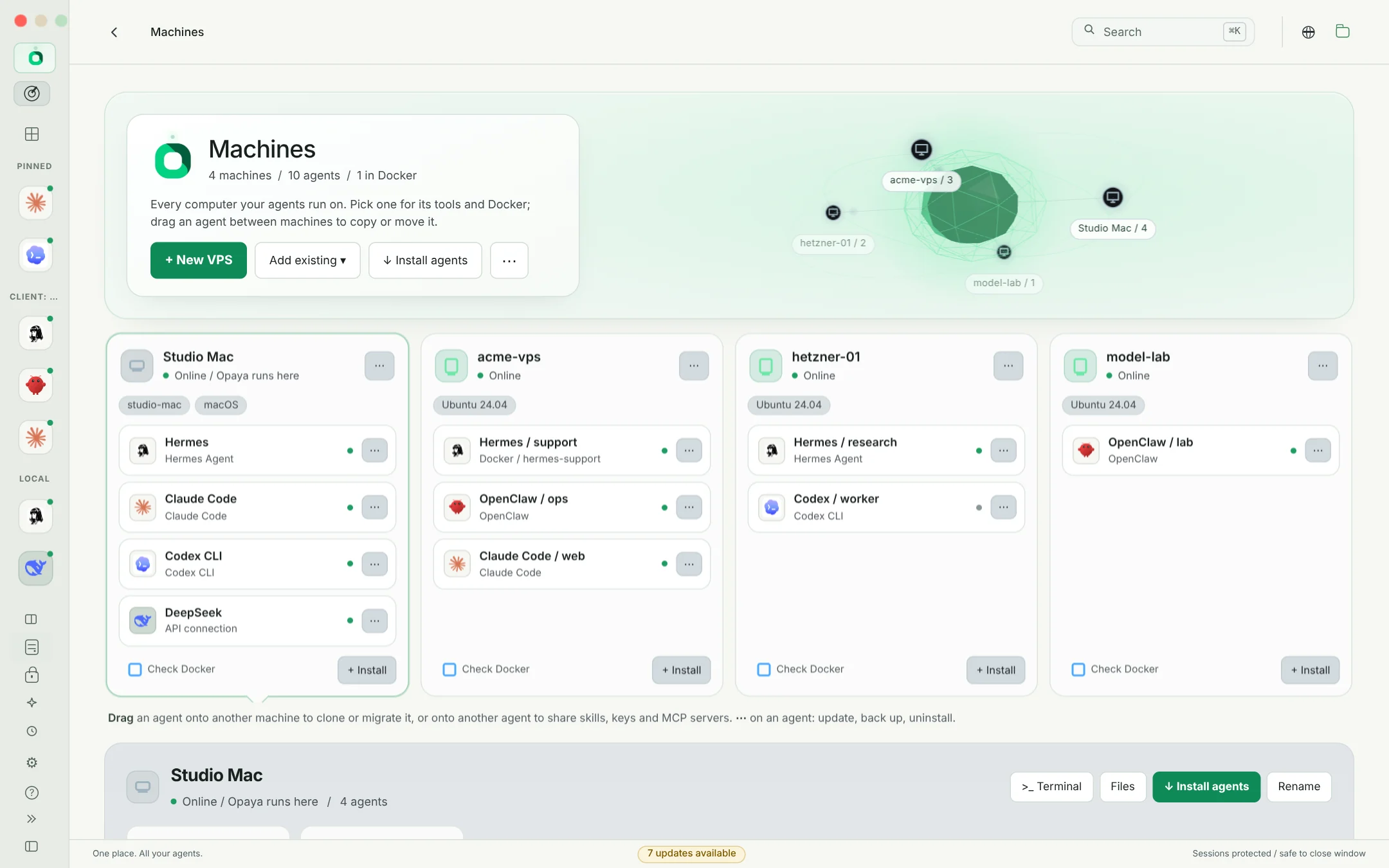
  • Terminal, files and versions on any server in one click
  • Import ~/.ssh/config or add a server by address
  • Install Docker there when it is missing
OPAYA Machines with three servers and their health
Three servers, tested in one click.
05 / SHARE WHAT WORKS

Skills, MCP, secrets and memory.
Between any agents.

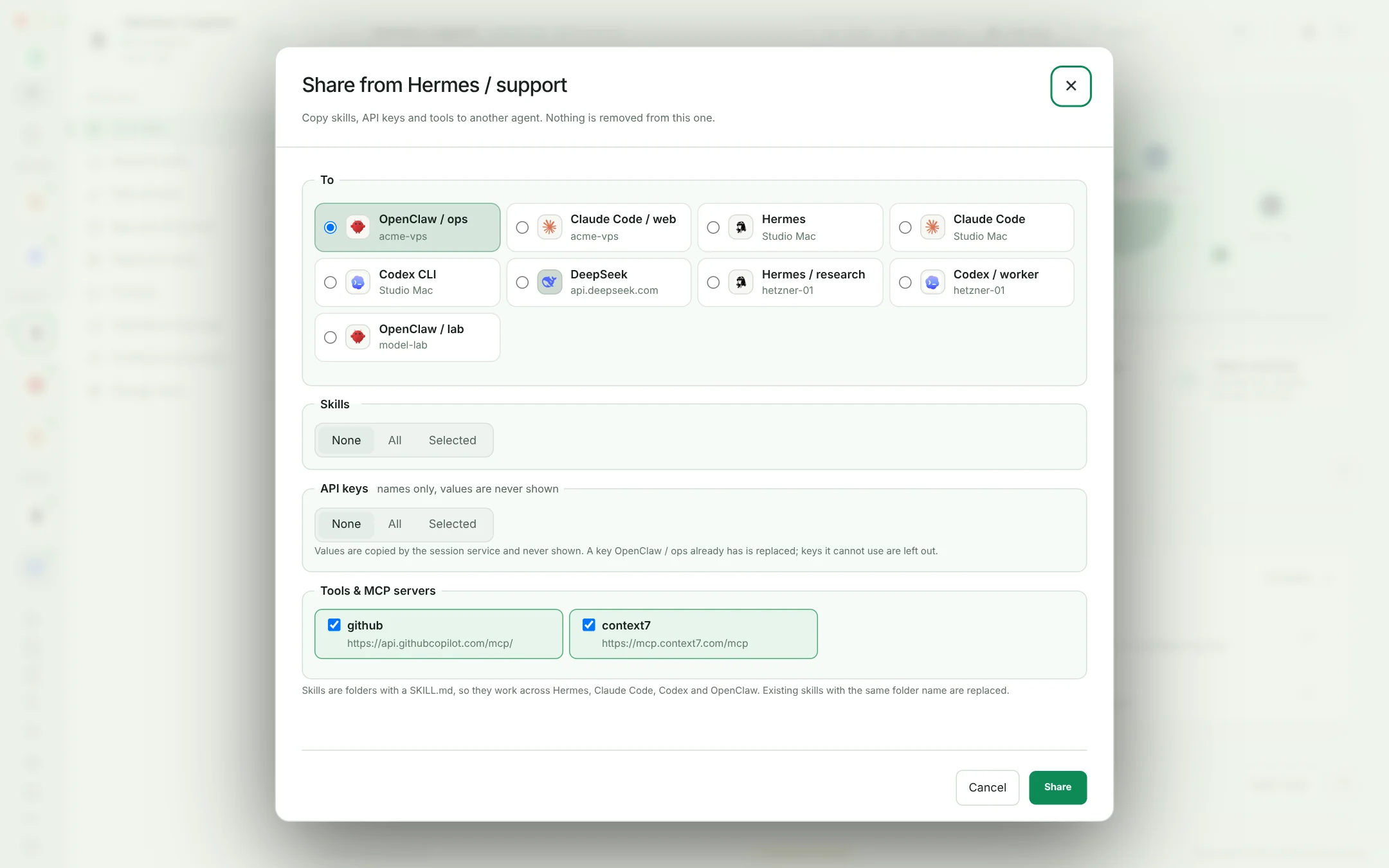
A skill that works for one client can work for the next. Move skills, API keys, MCP servers and gateway tokens between agents, frameworks and machines, and keep a global skills library to install anywhere.
  • Across Hermes, Claude Code, Codex and OpenClaw
  • Keys land where each agent reads them, values never shown
  • MCP servers written into each agent's own config after you approve
  • Memory and personality travel with a clone
OPAYA Transfer dialog moving skills, keys and MCP servers to a Claude Code agent on a VPS
Three skills, every key and two MCP servers going to another client agent.
06 / PROTECT

Backups and clean exits.
For every agent.

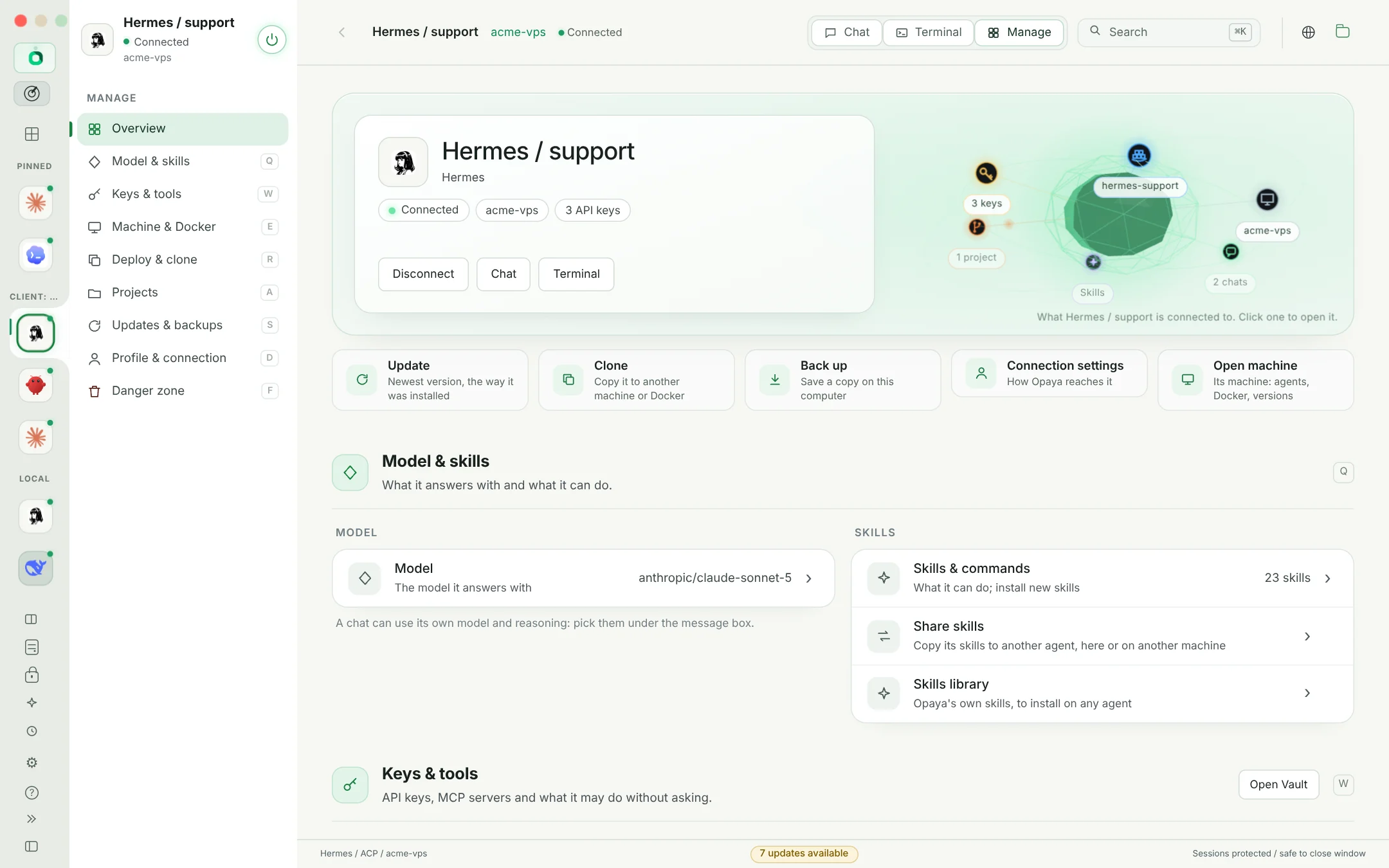
Back up any agent, on any server or in any container, to a private archive on your computer. When a project ends, uninstall removes everything the way it was installed.
  • With or without chat history and keys, readable only by your user
  • Gateways and services stopped and removed on uninstall
  • Hermes profiles and container profiles removed without touching their neighbours
OPAYA Manage page for a client agent in Docker with its backups
Everything about one client agent, including its backups.
07 / FIRST-LINE SUPPORT

Something broke overnight?
It is probably fixed.

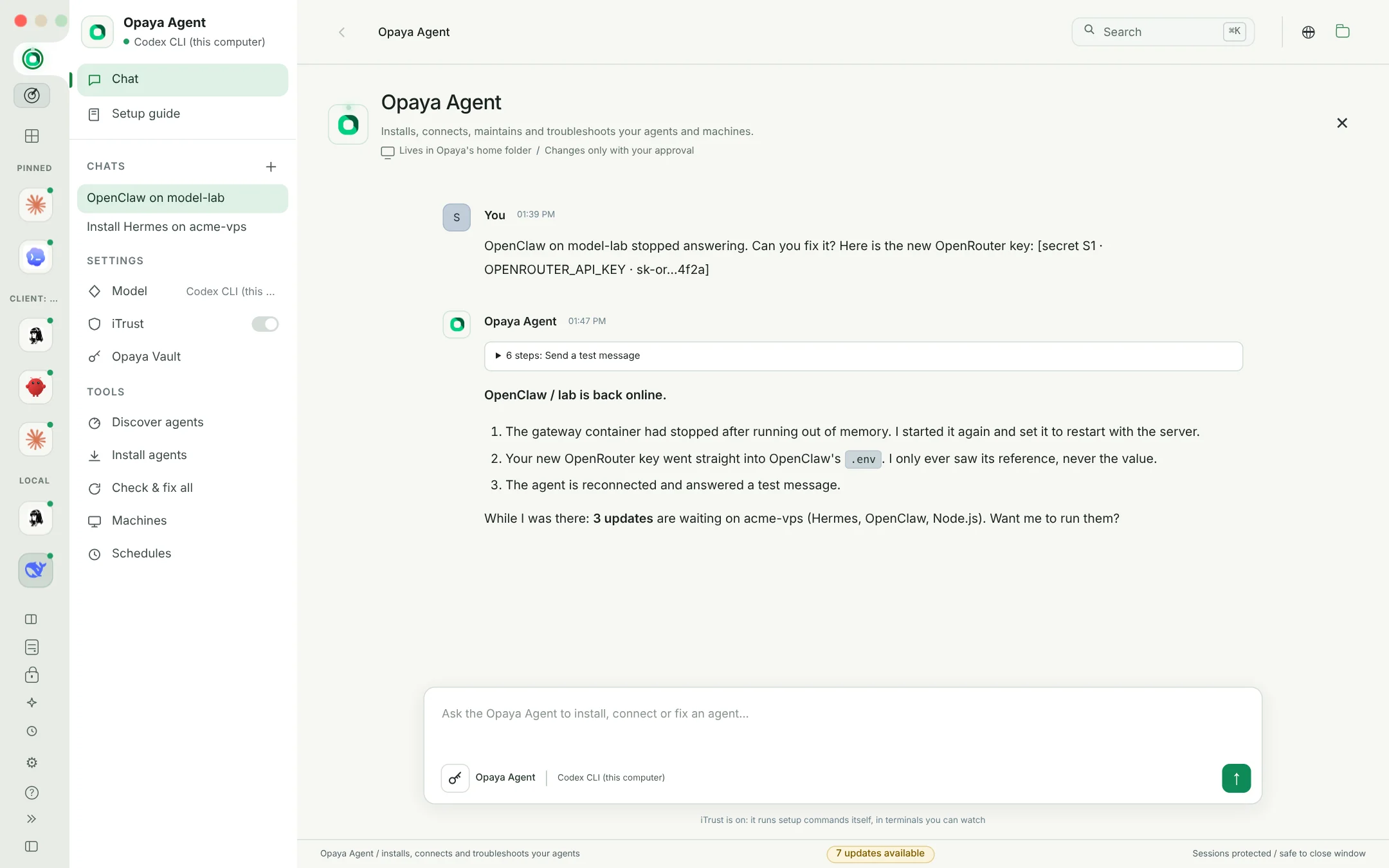
Every agent error goes to the Opaya Agent with a first diagnosis: a gateway missing or down, onboarding unfinished, SSH trouble, a dropped connection. It checks, repairs and tells you what it did.
  • Restarts gateways and containers, finishes onboarding, updates what is too old
  • Takes new keys safely: it only ever sees a reference
  • Every command in a terminal you can read, with your approval or iTrust
The Opaya Agent reporting a fixed OpenClaw gateway and pending updates on a client VPS
It fixed the gateway, stored the new key and spotted three updates.
08 / ON SCHEDULE

Routine work
runs itself.

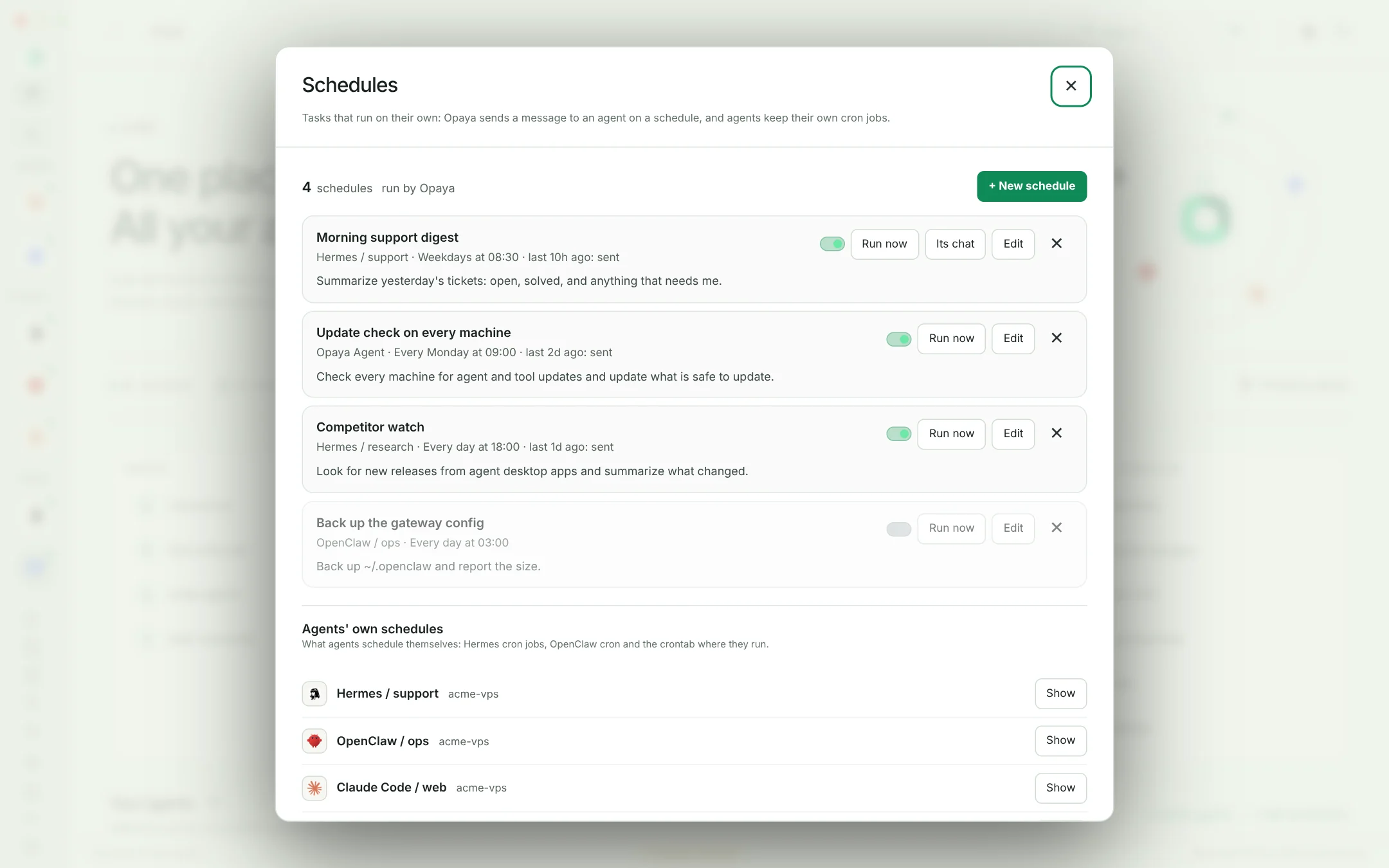
A support digest every weekday, an update check every Monday, a backup every night. Opaya sends the message to the agent on time, and each schedule keeps its own chat.
  • Any agent or the Opaya Agent, daily, weekly, on weekdays or on a cron line
  • Run now and pause without deleting anything
  • The agents' own cron jobs listed next to yours, read where each agent runs
OPAYA Schedules with a weekday support digest for a client agent and a weekly update check
A weekday support digest for a client and a weekly update check on every machine.
09 / WHY TEAMS SWITCH

Built for more than
one agent at a time.

For people testing agents, models and providers
across many projects and organizations.

Every framework

Hermes, Claude Code, Codex, OpenClaw, OpenCode, Goose and any OpenAI-compatible API in the same workspace.

Compare side by side

The Playground asks two agents the same question, so you pick the right one for each client.

Every model

Set the model and reasoning effort per agent or per chat, across providers.

Remote work on local code

An agent on a client server works on your project on its own branch; you review before anything lands.

One vault

Tokens, API keys and MCP secrets encrypted on your computer, shared between agents without being shown.

No new cloud

Agents keep running on your machines and your clients' servers. OPAYA connects over SSH.

Meet your new home for AI agents.

One desktop. All your agents. Every machine.

Book a demo