opaya
opayaClaude Code, Codex and OpenClaw in One Workspace
Bring the tools you already use into a clearer daily workflow.
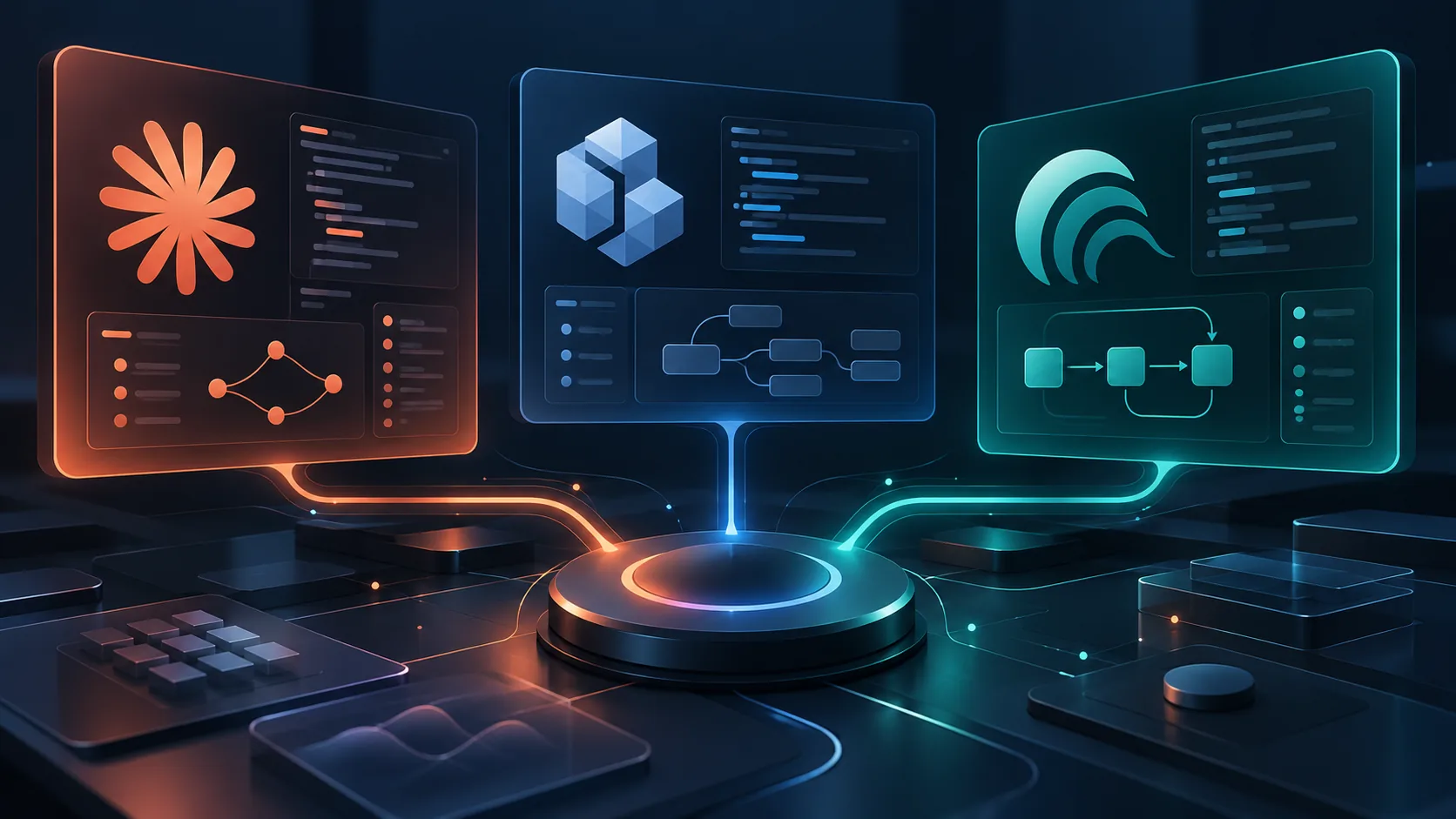
As software engineering evolves beyond basic autocomplete suggestions, developers are increasingly adopting complex, multi-agent architectures to handle diverse tasks. Managing different AI tools for various stages of development can lead to a fragmented and frustrating experience. Developers are frequently tasked with navigating isolated terminal windows, managing disparate API keys, and dealing with inconsistent project contexts. The solution lies in building a unified Claude Code, Codex, and OpenClaw workspace that brings the tools you already use into a seamless daily workflow. By understanding the distinct roles of these three powerful AI systems, operators and developers can dramatically reduce friction and context switching.
When orchestrating multiple AI agents, it is critical to recognize that there is no universal winner. Each tool has been designed with specific philosophies, deployment models, and interaction patterns in mind. Attempting to force a single agent to handle every aspect of the software development lifecycle often leads to suboptimal results. Instead, a mature multi-agent strategy embraces specialized tools working within a cohesive management layer. This guide explores how to integrate Claude Code, OpenAI Codex, and OpenClaw, comparing their session management, terminal integration, and project context capabilities while providing practical steps for unification using the OPAYA desktop workspace.
Profiling AI Agents: Distinct Roles and Architectures
To successfully integrate these AI tools into a daily engineering workflow, we must first examine their official capabilities and intended use cases as outlined by their respective vendor documentation. Rather than viewing them as direct competitors fighting for a single slot in your toolchain, they are best deployed as complementary specialists.
Claude Code: The Terminal-Native Assistant
According to Anthropic's official documentation, Claude Code is designed as an agentic, terminal-native tool. Powered by the Claude model family, it operates directly within your command-line interface. This architectural choice is significant: because it lives in the terminal, Claude Code inherently understands the developer's local environment. It can parse file structures, read code directly from the disk, and even execute shell commands (with appropriate user permissions) to run tests or linting tools.
Its primary role in a multi-agent workspace is project-wide comprehension and iterative refactoring. Because it navigates directories and reads logs natively, Claude Code excels at tasks requiring a holistic view of the repository. It bridges the gap between static code generation and active repository management, functioning like an automated junior developer operating right within your shell.
OpenAI Codex: The API-Driven Generator
Originating from OpenAI's research into large-scale code models, Codex (and the underlying models accessible via the OpenAI API) is fundamentally built around powerful, API-driven completions and edits. Developers utilizing Codex directly through its API leverage its massive pre-training on public code repositories to perform complex structural translations and rapid snippet generation.
In a multi-agent workflow, Codex's role is typically that of a highly specialized function writer and boilerplate generator. It expects discrete, well-defined prompts and contextual inputs provided via API endpoints. Unlike Claude Code, it does not natively browse your local terminal or execute commands out of the box. Its strength lies in raw generative capability, semantic code translation (such as converting Python to Go), and algorithmic problem-solving when provided with a strict input-output framework.
OpenClaw: The Open-Source Flexible Engine
OpenClaw represents an open-source approach to agentic workflows. As detailed in official OpenClaw documentation, this system is designed for absolute flexibility, allowing developers to configure and deploy agents using a variety of open-weight models. The defining characteristic of OpenClaw is its deployment adaptability. It can be run entirely locally, ensuring that proprietary code never leaves the host machine.
The role of OpenClaw in a modern workspace is to handle highly sensitive tasks, integrate with custom internal APIs, and operate securely in air-gapped environments. Because the user has full control over the model weights and execution environment, OpenClaw can be heavily customized with specific tools and retrieval-augmented generation (RAG) pipelines tailored to internal company documentation and legacy codebases.
Comparing Sessions, Terminals, and Project Contexts
Integrating these three distinct systems requires a deep understanding of how each manages state, context, and user interaction. The way an agent remembers previous interactions fundamentally dictates how a developer collaborates with it over a long coding session.
- Session Management: Claude Code maintains session history linearly within the terminal instance. As long as the terminal session remains active, the agent retains the context of recently viewed files and executed commands (e.g., "Fix the error in the test you just ran"). Codex, being a stateless API, relies entirely on the client application to manage session history. The developer—or the workspace manager—must append previous interactions to the prompt payload. OpenClaw typically offers configurable memory modules, allowing operators to choose between short-term buffer memory or long-term vector database storage based on the agent's configuration.
- Terminal Integration: Claude Code is deeply integrated into the terminal environment by design. It utilizes standard input/output streams and interacts smoothly with Unix pipelines. Codex has no native terminal presence; accessing it via the command line requires a custom wrapper script or a dedicated workspace client. OpenClaw can be invoked via CLI, but its primary interaction model often involves local web interfaces or API endpoints serving an overarching orchestration layer.
- Project Context: Context gathering is where the tools diverge most significantly. Claude Code autonomously searches directories and reads files using built-in terminal commands (like
greporcat) to build its own context window. For Codex, the user must explicitly provide the relevant code snippets in the API request—it cannot "fetch" related files on its own without a surrounding application layer. OpenClaw relies on custom-configured retrieval tools; if provided with a file-system reader tool, it can parse project context, but this requires explicit operator configuration.
Decision Criteria: Strengths, Limitations, and Use Cases
Because there is no single best agent, operators must evaluate decision criteria based on the specific task at hand. Use this comparison to guide your workflow routing:
Claude Code
- Strengths: Exceptional at deep, multi-file refactoring; strong autonomous navigation of the local filesystem; excellent understanding of terminal error logs.
- Limits: Bound strictly to terminal environments; requires an active internet connection to communicate with Anthropic servers; can consume tokens rapidly if it autonomously reads large directory trees.
- Best Use Case: Debugging complex integration issues across multiple files, updating project-wide dependencies, and executing large-scale repository refactoring.
Codex (OpenAI API)
- Strengths: Highly robust generation of discrete logic; broad programming language support; easy integration into automated CI/CD pipelines via standard REST APIs.
- Limits: Closed-source remote execution; requires the user to carefully construct the context window; lacks native autonomous execution capabilities.
- Best Use Case: Generating unit tests for specific functions, translating algorithms between programming languages, and writing repetitive boilerplate code based on strict schemas.
OpenClaw
- Strengths: Absolute data privacy through local execution; highly extensible tool-calling framework; zero vendor lock-in or recurring token costs when running local models.
- Limits: Hardware constrained (requires significant GPU resources for optimal performance); setup and maintenance overhead is higher; out-of-the-box performance depends entirely on the selected open-weight model.
- Best Use Case: Processing proprietary, highly confidential codebases, operating in offline/air-gapped environments, and executing highly specialized internal tooling workflows.
Unifying Your Environment: Local, Remote, and Docker Deployments in OPAYA
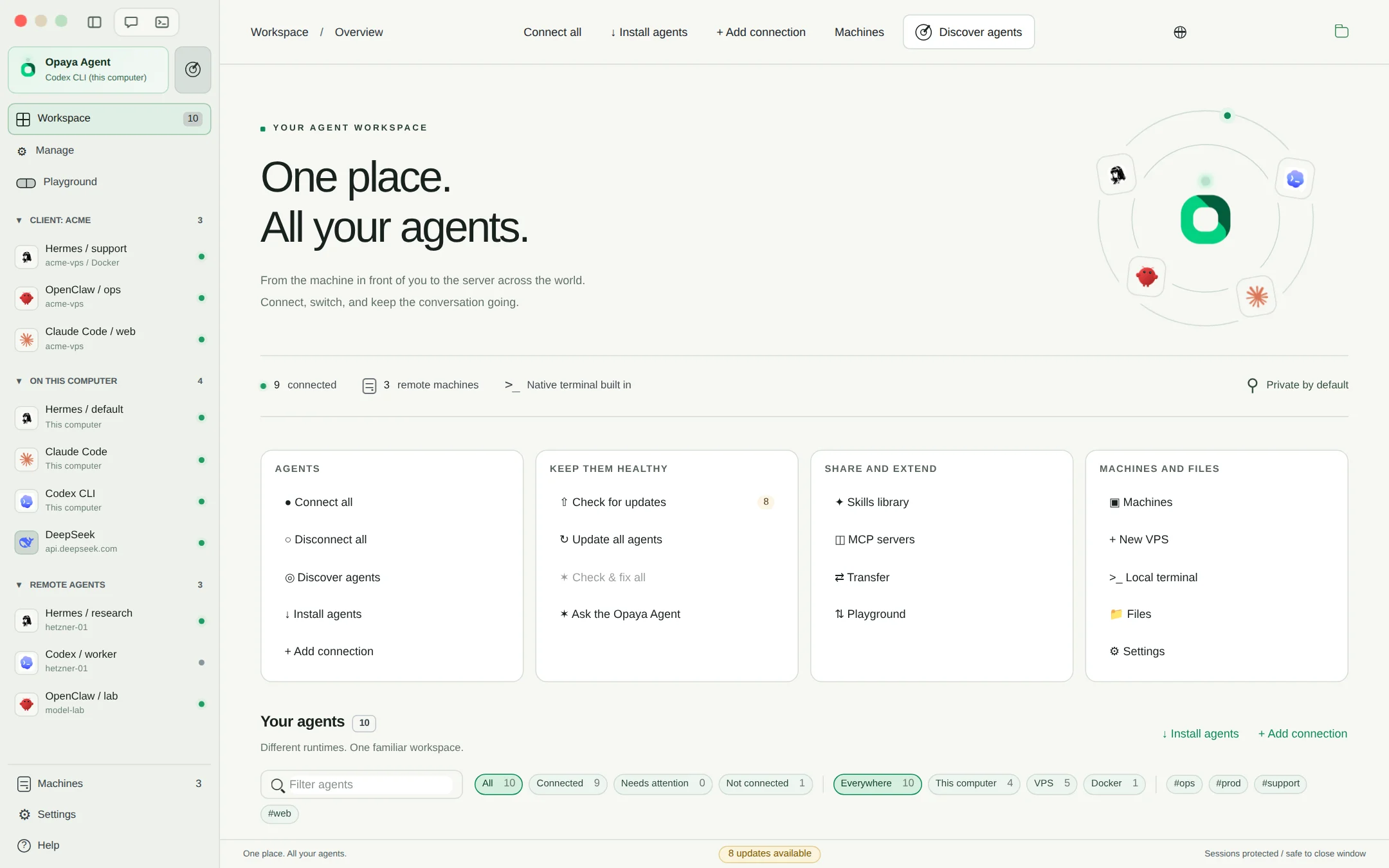
The primary challenge of utilizing Claude Code, Codex, and OpenClaw simultaneously is workspace fragmentation. This is exactly where a dedicated management layer becomes necessary. OPAYA functions as a desktop workspace specifically designed to install, connect, and manage these disparate AI agents. Whether you run agents on your local hardware, deploy them to remote servers, or isolate them within Docker containers, OPAYA provides a centralized control plane.
By connecting these tools through OPAYA, developers can define consistent project contexts. For instance, you can run OpenClaw locally in a Docker container bound to your repository volume for secure, offline code analysis. Simultaneously, you can utilize an authenticated terminal window within the OPAYA interface to issue broad refactoring commands to Claude Code. Furthermore, OPAYA securely stores and manages your OpenAI API keys, enabling rapid, in-workspace queries to Codex without constantly switching to an external IDE or web browser.
Docker integration is particularly valuable when managing a multi-agent environment. Running OpenClaw in a container ensures that its specific dependencies do not conflict with your host system. Similarly, when granting terminal tools like Claude Code permission to execute tests or scripts, utilizing a containerized development environment via OPAYA protects your host machine from unintended side effects during autonomous agent execution.
Practical Steps: Configuring Your Multi-Agent Workspace
Building a cohesive workspace for Claude Code, Codex, and OpenClaw requires deliberate configuration. Follow these practical steps to unify your toolchain using OPAYA:
Step 1: Establish Your Development Volumes
Before initializing any agents, ensure your codebase resides in a directory that can be easily mounted into containers and accessed by local CLI tools. In OPAYA, map this primary project directory as your active workspace.
Step 2: Authenticate and Configure Claude Code
Open a terminal session within OPAYA. Install Claude Code according to Anthropic's official instructions and authenticate using your Anthropic credentials. Because OPAYA handles terminal sessions persistently, your authentication state remains active across workspace restarts. Ensure you configure Claude Code's allowed directory scopes to prevent it from navigating outside your designated project folder.
Step 3: Connect the Codex / OpenAI API
Navigate to the remote connections panel in your OPAYA workspace settings. Input your OpenAI API credentials. Configure a quick-action prompt or a dedicated chat view within OPAYA specifically bound to the Codex endpoints. This setup allows you to highlight code in your OPAYA editor view and instantly send it to Codex for translation or test generation without leaving the interface.
Step 4: Deploy OpenClaw via Docker
Utilize OPAYA's Docker management features to pull the latest OpenClaw image. Configure the container to mount your project directory as a read-only volume (for maximum safety) or read-write (if you intend for the local agent to modify files directly). Bind the OpenClaw API ports to your local host so that your OPAYA workspace can communicate securely with the local agent.
Multi-Agent Setup Verification Checklist
Before relying on your new multi-agent setup for production work, run through this verification checklist to ensure all tools are communicating correctly and safely:
- Terminal Access: Verify that Claude Code can successfully execute a safe command (such as
lsornpm test) within the OPAYA terminal without throwing path or permission errors. - Context Sharing: Confirm that files modified by Claude Code are immediately visible and accurately reflected in the context windows sent to Codex.
- Docker Bindings: Inspect the OpenClaw Docker container to ensure it can read the local project files but cannot traverse into protected host system directories like
/etcor/usr. - API Rate Limits: Check your workspace configuration to ensure you have set appropriate spending limits or token restrictions for both the Anthropic and OpenAI APIs to prevent accidental cost overruns during autonomous loops.
- Offline Fallback: Disconnect your internet connection temporarily and verify that OpenClaw remains fully functional for local querying and file analysis.
Frequently Asked Questions
Can I run all three of these agents offline?
No. While OpenClaw is specifically designed for local, offline execution, both Claude Code and Codex require an active internet connection to communicate with Anthropic and OpenAI servers, respectively. OPAYA allows you to manage both online and offline agents in the same interface, but the network requirements of the underlying proprietary models remain unchanged.
Does a multi-agent workspace replace my standard IDE?
Not necessarily. A dedicated multi-agent workspace like OPAYA is designed to sit alongside or wrap around your existing workflows. While OPAYA provides robust code editing and terminal capabilities, its primary purpose is seamless agent orchestration. Many developers continue to use their traditional IDE for manual typing while relying on OPAYA for complex agentic refactoring, codebase querying, and AI code generation.
How do I prevent Claude Code from executing destructive commands?
Always configure terminal-based agents to require explicit user confirmation before executing potentially destructive shell commands. Anthropic's official documentation details how to set safety parameters and approval thresholds for Claude Code. Additionally, running the agent within an isolated OPAYA Docker environment adds a crucial secondary layer of protection against accidental host machine modifications.
Is it expensive to run multiple AI models simultaneously?
Costs depend entirely on your token usage and the models deployed. Codex and Claude Code operate on a pay-per-token model, meaning costs scale linearly with usage. OpenClaw incurs no API costs if you are using local open-weight models, though you must account for the initial hardware or remote server computing costs required to run it.
Streamline Your Engineering Workflow
Moving from isolated AI experiments to a mature, unified engineering workflow requires intentional tooling. By understanding the distinct strengths of terminal-native agents like Claude Code, API-driven generators like Codex, and secure local platforms like OpenClaw, developers can assign the right AI agent to the right task. Stop wrestling with fragmented terminal windows and scattered API keys.
If you are ready to centralize your multi-agent architecture and seamlessly orchestrate local, remote, and Docker-based AI tools, explore how OPAYA can transform your daily development process. Visit our product pages to download the desktop workspace and begin building a more efficient, clearer workflow today.