Every repo. Every host.
One workspace.
 OPAYA keeps
  Claude Code,
  Codex and
  Hermes next to your repositories, git history, terminals and MCP servers. Local checkouts and remote hosts stay in the same window, with the same model settings everywhere.
See Opaya in action
See OPAYA in a 30-minute walkthrough with n8n Lab: repositories, remote machines, Docker and the agents you already use, plus answers to your questions.
Book a demo- Claude Code
- Codex
- Hermes
 OpenClaw
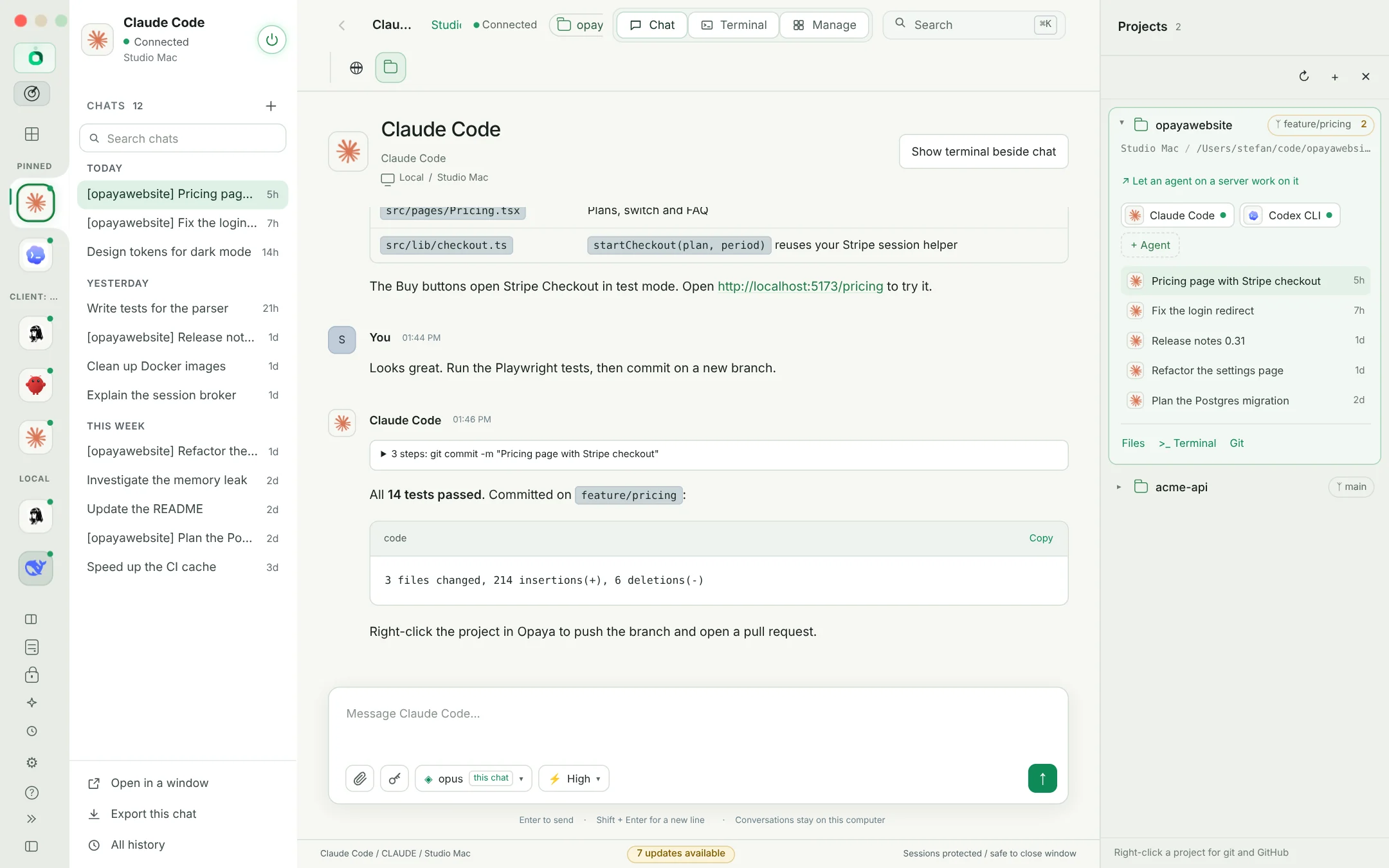
Every repository
on the same shelf.
Register a project once and every agent opens in it. Git status, branches and diffs sit next to the chat, so reviewing what an agent changed never means leaving the window or guessing which folder you are in.
- Project-scoped agents: each chat and terminal starts in the right repo, not in your home directory
- Git built in: branch, diff and commit without switching to another app
- Worktrees and subfolders stay visible, so parallel work does not collide
- Instructions live with the code, so every agent follows the same rules
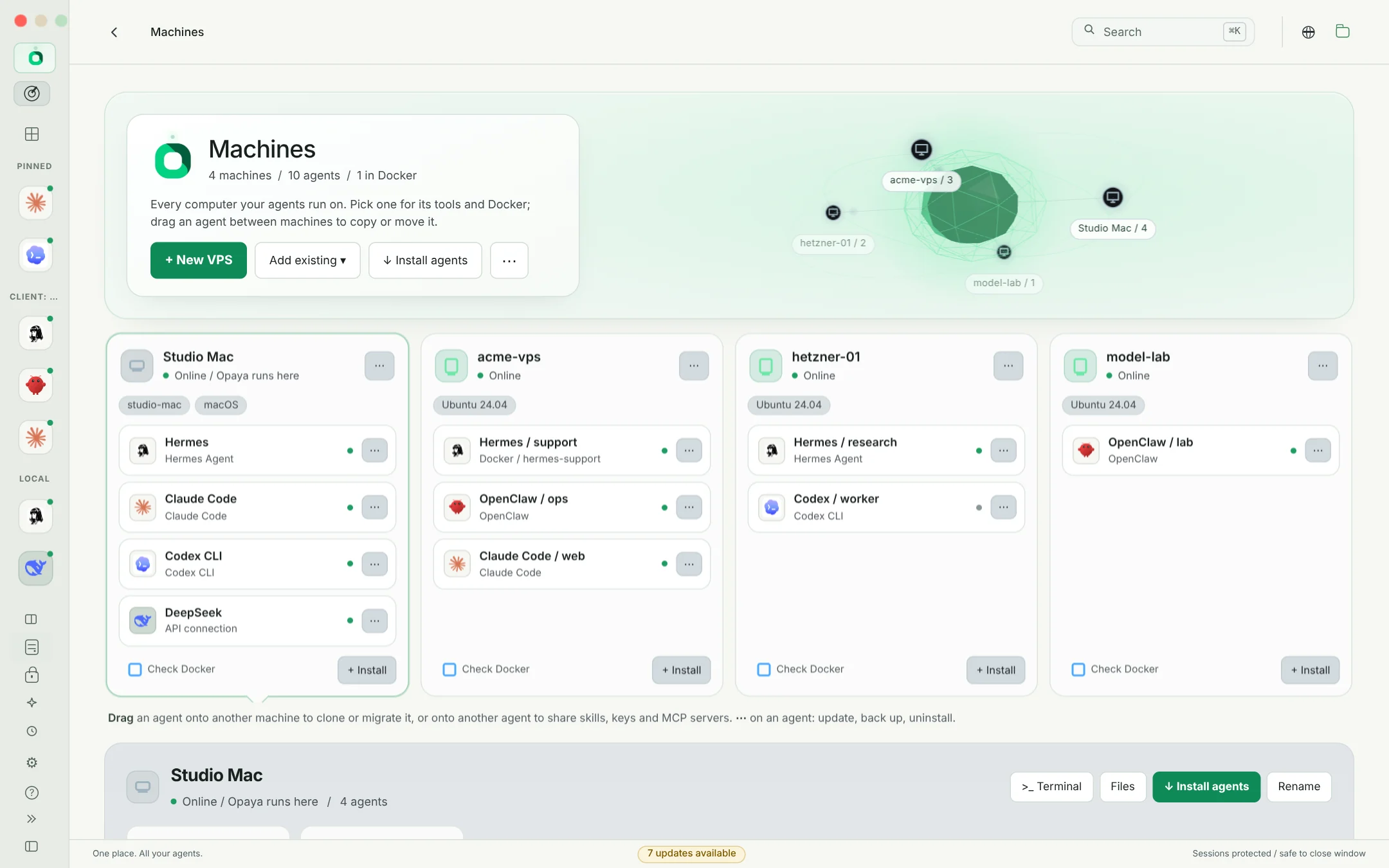
Laptop, staging box,
the VPS.
Add a host over SSH once. OPAYA installs or adopts the agents there, shows their versions and lets you open a terminal, browse files or run the same agent you use locally, all from one place.
- New VPS: OPAYA creates the key, installs the agent and checks the host for you
- Docker: run agents as containers on any host you already have
- Version drift visible: see what runs where before it becomes a bug report
- Updates from one screen, the way each agent was installed
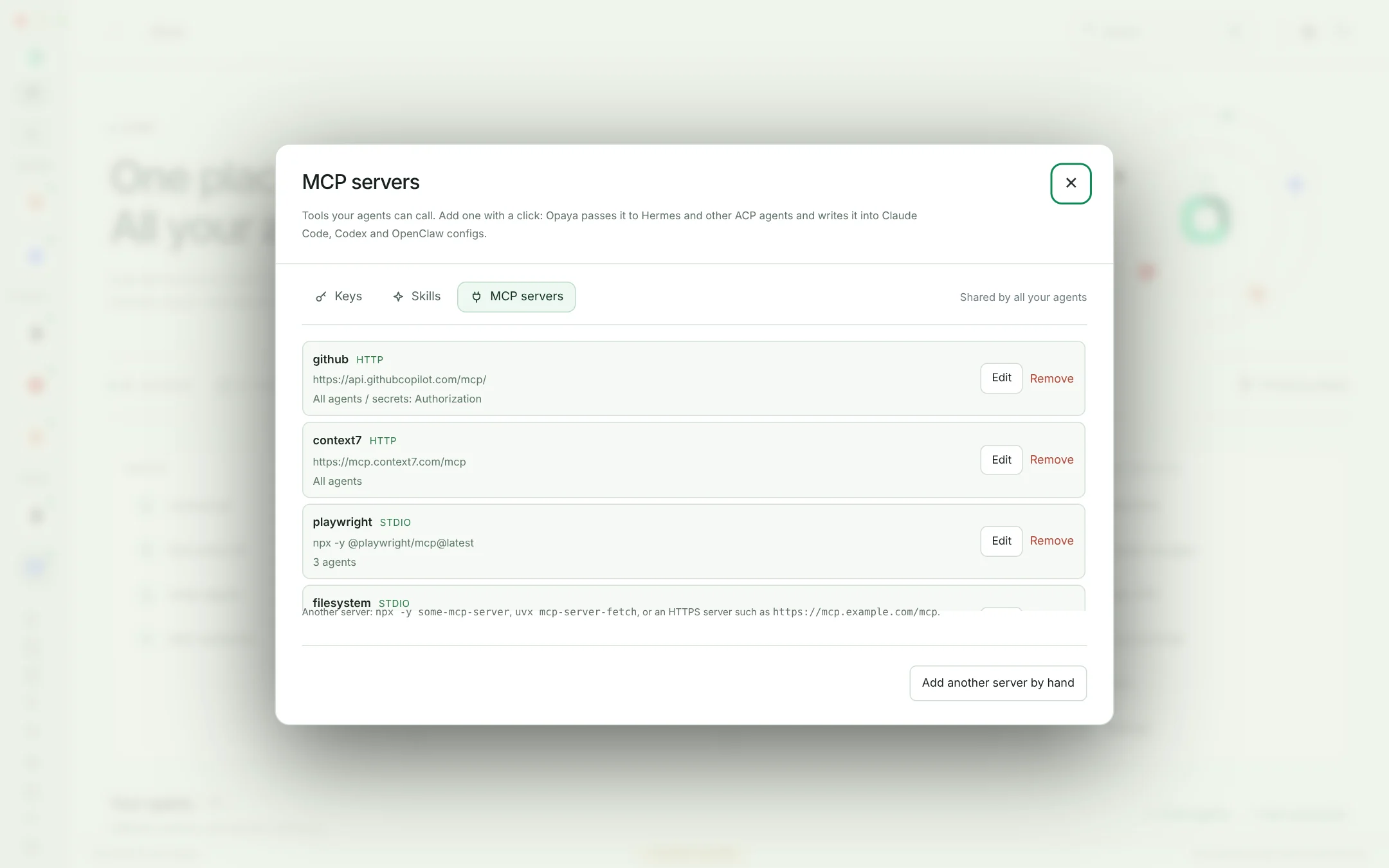
MCP servers, skills
and secrets in one place.
Connect the tools your agents need once, then reuse them across models and machines. Keys stay in an encrypted vault and are handed to agents as references, so switching a model never means pasting a secret into a prompt.
- MCP servers per project, not per chat window
- Skills shared between agents and machines
- Vault: keys referenced, never printed into transcripts
- Model per chat, with reasoning effort and free local models when the task is simple
Sessions that
outlive the tab.
Long refactors should not die because a window closed. OPAYA keeps agent-scoped history and drafts, and remote terminal workflows can reattach to persistent shells, so coming back tomorrow does not mean starting from zero.
- History and drafts kept per agent and per project
- Chat or CLI: open Claude Code or Codex as a chat or in its own terminal
- Split views when you need two agents side by side
- Exact reattach behaviour depends on the runtime, and OPAYA does not pretend otherwise
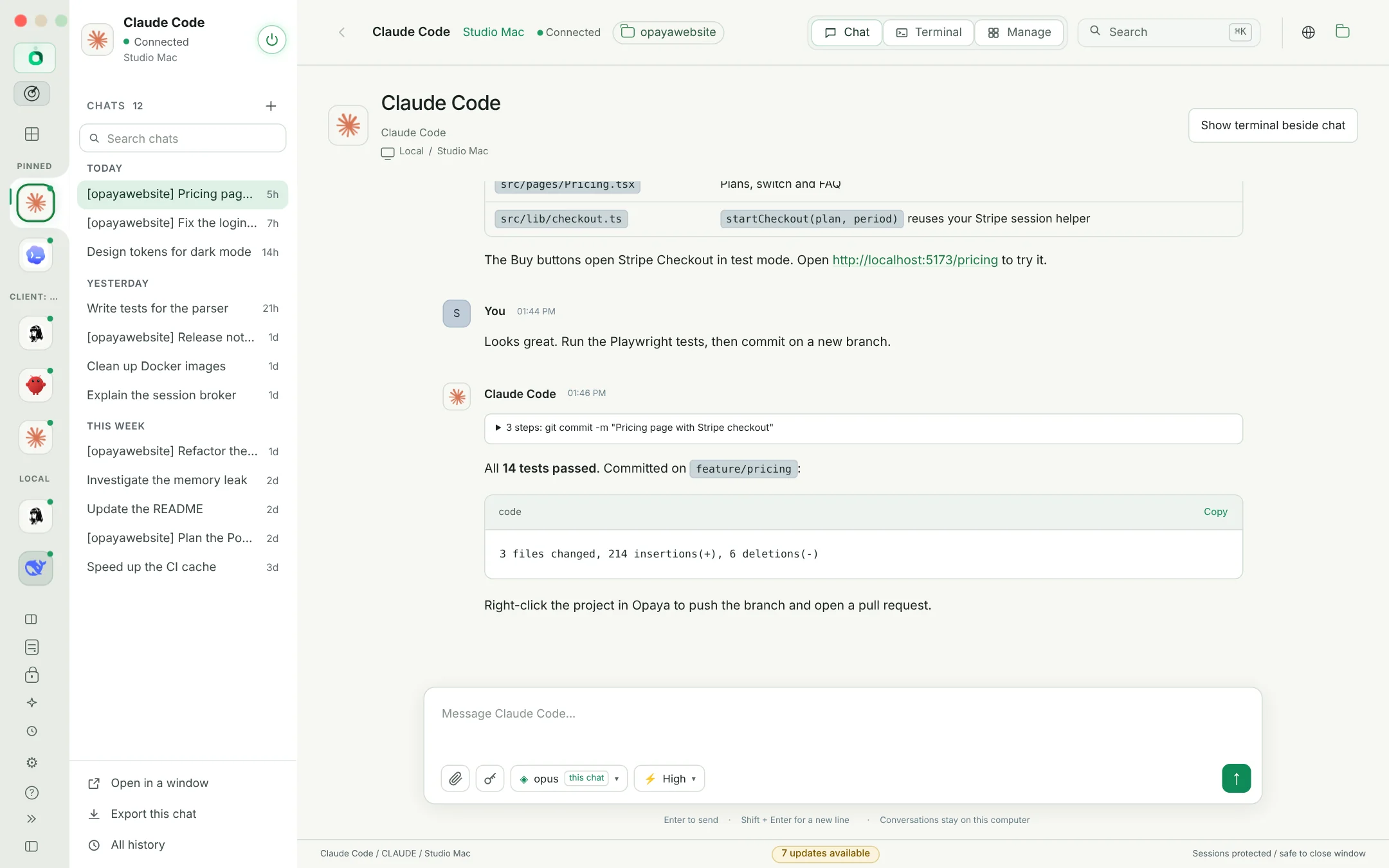
Meet your new home for AI agents.
One desktop. All your agents. Every machine.
Book a demo