 opaya
opayaThe Agent Manager's Scoreboard: What to Track Across Every Machine
Visibility before optimisation.
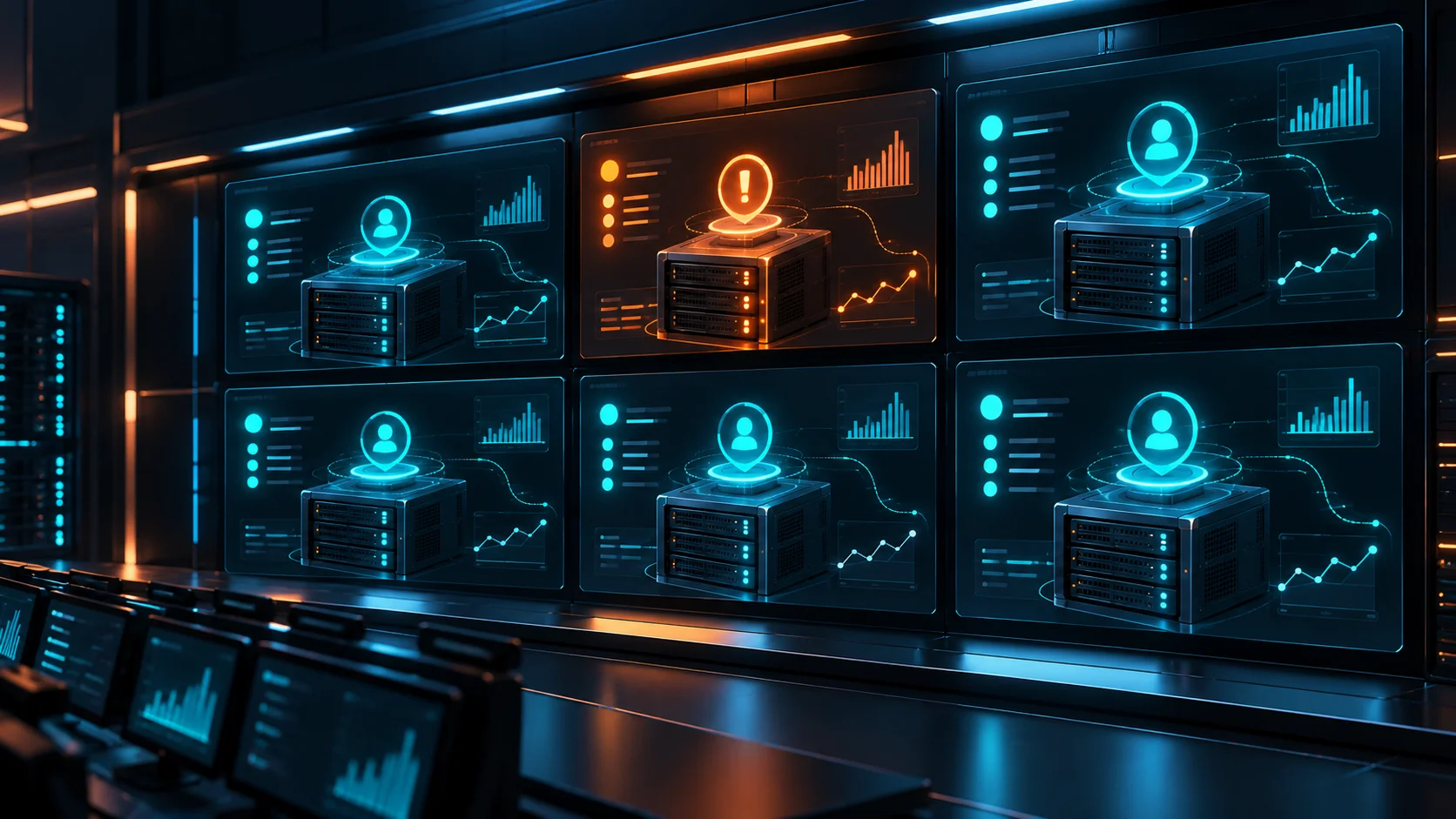
As teams rapidly adopt autonomous workflows, the transition from running a single experimental script to operating a distributed fleet of agents is fraught with operational blind spots. When developers spin up agents on their local desktops, deploy others to remote servers via SSH, and run experimental builds in Docker containers, visibility degrades rapidly. Without a centralized view, operators face silent failures, compounding API costs, and hidden security vulnerabilities.
To effectively manage AI agents across machines, clients, and distributed teams, you must establish a baseline of operational truth. Visibility must precede optimization. This guide provides a practical blueprint for building an Agent Manager's Scoreboard—a consolidated dashboard of metrics you must track across every host to maintain control over your AI operations.
Prerequisites for Establishing an AI Agent Scoreboard
Before you can meaningfully track metrics across a diverse fleet of host machines, you need to establish a consistent telemetry and access baseline. Implementing a scoreboard requires more than just running command-line scripts; it demands structured access and consistent reporting standards.
- Host Access Protocols: You must have reliable access to the target environments. For remote servers, this means configured SSH access with appropriate key management. For Docker environments, you need access to the Docker daemon or the orchestration API.
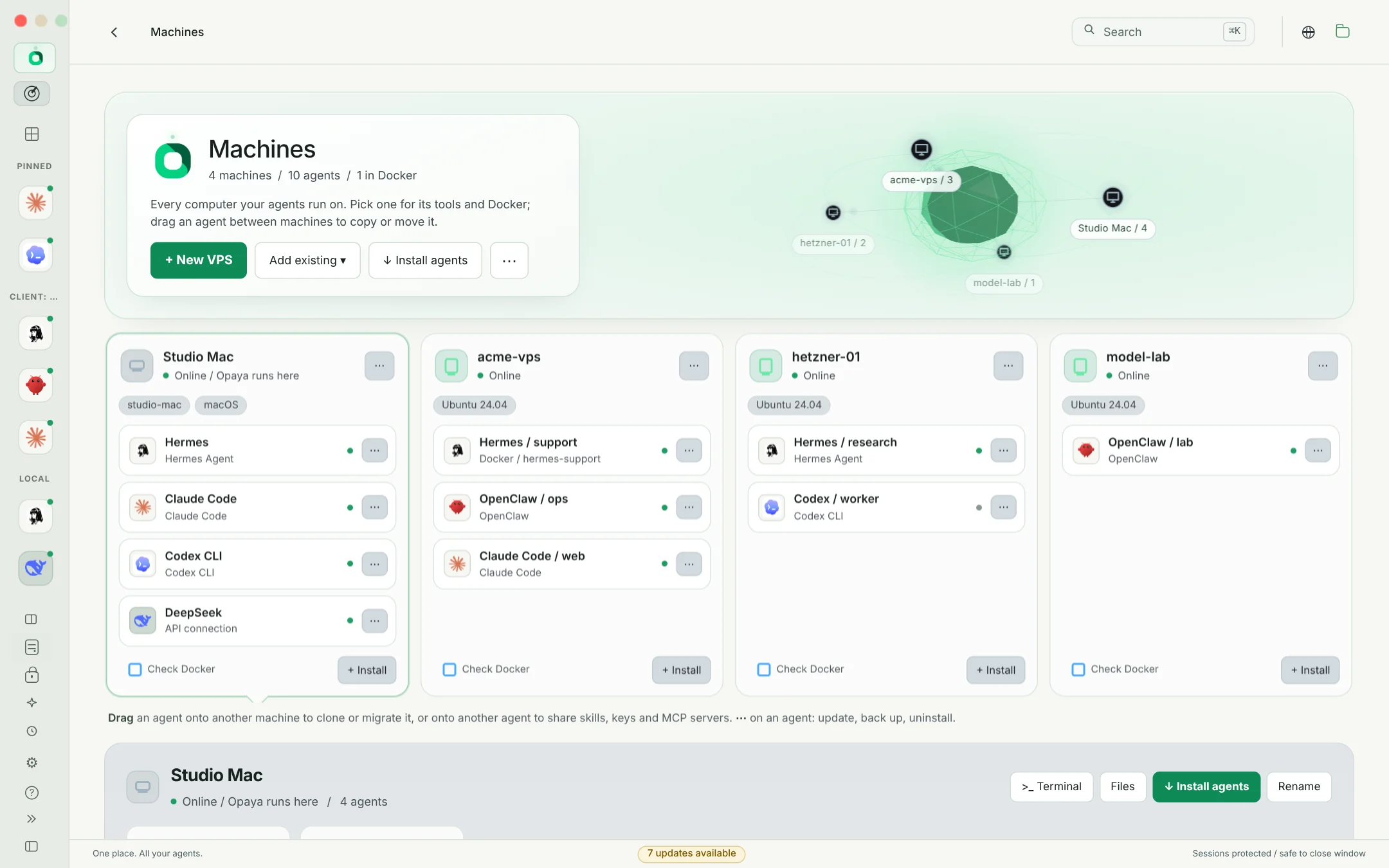
- Unified Management Interface: A centralized workspace, such as OPAYA, is essential for aggregating data from local machines, remote servers, and Docker containers into a single pane of glass, eliminating constant context switching.
- Consistent Logging Standards: Agents must be configured to output logs and state changes in a predictable format (preferably structured JSON). This ensures metrics can be parsed regardless of whether the agent is written in Python, TypeScript, or Go.
- Resource Monitoring Tooling: Basic system utilities (like
htop,ps, or Docker stats) must be accessible to periodically poll process health and memory consumption.
Step-by-Step Guide: Building the Operational Scoreboard
Once your prerequisites are in place, you can begin constructing your scoreboard. The following implementation steps represent the core metrics every agent manager must track to maintain operational integrity.
Step 1: Monitor Active AI Agent Processes Per Machine
The most fundamental metric on your scoreboard is an accurate headcount of active processes. In AI operations, silent failures and orphaned processes are common. A script might lose its connection to a Large Language Model (LLM) provider but remain running in the background, consuming system memory without executing tasks. Conversely, an aggressive retry loop might spin up multiple parallel instances of an agent, rapidly draining your API budget.
Implementation: Set up a polling mechanism that queries the process list or Docker API on each host. Group these counts by machine and state (e.g., initializing, running, polling, dormant). This allows you to immediately spot anomalies—such as a remote server built for three agents suddenly running fifteen.
Tradeoffs: Real-time polling provides high accuracy but introduces CPU overhead on lightweight remote instances. Polling every 30 to 60 seconds is typically the ideal balance between visibility and resource conservation.
Step 2: Track Version Drift Across Host Environments
The AI ecosystem evolves at a breakneck pace. A framework update that improves tool-calling accuracy on a local desktop might break entirely when deployed to a remote server running an older version of the same library. Version drift is the primary cause of the "it works on my machine" syndrome in agent deployments.
Implementation: Your scoreboard must track the deployed version of the agent's core code, its primary framework dependencies (such as LangChain, AutoGen, or OpenAI SDKs), and the runtime environment (Node.js or Python versions). Automate a weekly audit that compares dependency trees across all hosts. Flag any remote server or Docker container running a version that deviates from your production baseline.
Tradeoffs: Strict version pinning ensures absolute consistency but can delay the adoption of critical security patches or new model support. Semantic versioning allows for flexible updates but introduces the exact drift you are trying to prevent. Explicitly tracking drift empowers you to make informed decisions about when to force an update.
Step 3: Monitor Failed Runs, Crash Loops, and Restarts
AI agents fail differently than traditional software. While a web server might crash due to a null pointer, an AI agent might enter a crash loop because an LLM returned poorly formatted JSON that the parser couldn't handle. If your host machine (or Docker daemon) is configured to automatically restart failed processes, an agent could silently fail and restart hundreds of times an hour, accumulating API token costs.
Implementation: Move beyond basic uptime monitoring to track restart counts and exit codes. A successful task completion logs a clean exit (code 0), while a hard crash (like an Out of Memory error) logs an OS-level kill code. Configure your scoreboard to highlight any agent that restarts more than three times within a single hour.
Tradeoffs: Differentiating between an LLM hallucination error and a true system crash requires deep log inspection, which is computationally expensive to aggregate at scale. Focus on restart frequency first, then drill into the logs for specific diagnostics.
Step 4: Audit Agent Access to API Secrets
As agents gain the ability to interact with databases, CRM systems, and cloud providers, they require access to high-value secrets. A critical security failure occurs when global environment variables are used on a remote server, inadvertently granting an experimental agent access to production credentials simply because it shares the host machine.
Implementation: Enforce the principle of least privilege. Your scoreboard must map which environment variables and API keys are injected into specific agent processes or containers. Audit your .env files and Docker runtime configurations. If a web-scraping agent has access to an AWS production key, the scoreboard must flag it as a critical security violation.
Tradeoffs: Centralized secret managers offer high security but add latency and complexity to local development setups. Isolated local .env files are developer-friendly but harder to audit remotely. Choose an approach that cleanly isolates scopes per agent.
Step 5: Enforce Agent Ownership and Tagging
When an agent running on a remote staging server begins hallucinating and aggressively querying an expensive API, operators need to know exactly who to contact. Anonymous or shared agents are an operational liability. Every agent deployed across your infrastructure must have a designated human owner.
Implementation: Implement a mandatory tagging strategy. Whether passing arguments at runtime, using Docker container labels, or utilizing metadata fields in your management workspace, require an owner tag (an email address or Slack handle) and a client_id or project_id for every agent deployment. The scoreboard should group active agents by owner, ensuring strict accountability for resource usage.
Tradeoffs: Strict tagging policies can cause friction during rapid prototyping. Provide a default "development" tag for local machines, but strictly enforce ownership for any agent deployed to remote or Docker environments.
Step 6: Conduct Weekly Operational Reviews
Agents are inherently non-deterministic. They will occasionally fail due to external API latency, unexpected prompt behavior, or rate limits. If operators configure immediate alerts for every failed agent run, alert fatigue will quickly set in, causing critical warnings to be ignored.
Implementation: Shift from a pager-duty mindset to a weekly review rhythm. Use your scoreboard to aggregate data over a seven-day period. During a weekly operational review, assess total API costs per owner, identify hosts suffering from severe version drift, and investigate persistent crash loops. Only page operators immediately for critical security breaches or systemic infrastructure failures.
Tradeoffs: A weekly review means some poorly performing agents might waste resources for a few days before being caught. You must weigh the cost of wasted API tokens against the engineering cost of constant context switching and alert fatigue.
Handling Edge Cases and Operational Pitfalls
Even with a robust scoreboard, operators will encounter edge cases that skew metrics. Prepare to handle these common anomalies:
- Network Partitions: If a remote server loses connection to the centralized management hub, the scoreboard might mistakenly show the agents on that machine as "offline." Ensure your system can differentiate between an unreachable host and a genuinely crashed agent process.
- Zombie Processes: An agent might fail to shut down gracefully, leaving a zombie process that holds an open port without performing work. Your process-counting metric might report this as healthy. Implementing a required heartbeat signal from the agent to the scoreboard resolves this.
- Ephemeral Docker Containers: Agents designed to spin up, complete a single task, and destroy their own container can be difficult to track. By the time the scoreboard polls the Docker daemon, the container may be gone. Rely on lifecycle event streams rather than periodic polling for ephemeral agents.
- OOM (Out of Memory) Kills: Agents processing large context windows can experience sudden memory spikes. The Linux kernel will silently kill the process to save the host machine. Because the process is killed externally, the agent cannot log its own failure. Your scoreboard must monitor host-level OS logs for
OOMKilledevents.
Monthly Scoreboard Verification Checklist
To ensure your Agent Manager's Scoreboard is functioning correctly, run through this verification checklist on a monthly basis:
- Process Verification: Manually SSH into a remote server, run
htop, and confirm the active agent count exactly matches the number displayed on your scoreboard. - Version Audit Validation: Intentionally downgrade a dependency on a single Docker container. Verify that the scoreboard highlights the version drift within your defined polling interval.
- Crash Loop Detection: Deploy a test agent configured to crash immediately upon execution. Ensure the host's restart policy triggers, and verify that the scoreboard flags the high restart frequency without sending a flood of immediate alerts.
- Secret Isolation Test: Inject a dummy API key into a host environment. Check the scoreboard's security audit to ensure only explicitly authorized agent processes can access that key.
- Ownership Tagging: Attempt to deploy an agent without an ownership tag to a remote Docker host. Verify that the deployment is rejected or immediately flagged for missing metadata.
Frequently Asked Questions About AI Agent Management
How do we manage version drift when different clients require different agent frameworks?
Version drift tracking is not about forcing every machine to run identical code; it is about intentionality. If a client requires an older framework version, tag those specific remote servers or Docker containers with a designated environment profile. Your scoreboard should track drift relative to the assigned profile, not a single global master version.
Is it better to run agents locally or on remote servers?
Local execution is ideal for development, debugging prompt logic, and avoiding infrastructure costs. Remote servers and Docker instances are necessary for long-running autonomous tasks, staging environments, and production deployments. The goal is not to choose one over the other, but to maintain operational visibility across all of them simultaneously.
How can we prevent runaway agents from draining our LLM API budgets?
While the scoreboard tracks the symptoms of a runaway agent (like high restart counts or continuous polling), prevention requires setting hard limits at the API gateway or proxy level. Use the scoreboard to identify which user owns the runaway agent, then review the logs to understand why the agent entered an infinite loop.
What is the best way to handle secrets for locally running agents?
For local development, strictly utilize isolated .env files located in the project directory, and ensure they are explicitly ignored by version control. Avoid exporting sensitive AI API keys to your global shell profile (e.g., .zshrc or .bash_profile), as any script running on your desktop could potentially read them.
Why shouldn't I just use standard DevOps monitoring tools?
Standard DevOps tools are designed for web servers and databases, focusing on latency, disk space, and HTTP error rates. AI agents fail differently—they suffer from context window limits, parsing errors from natural language, and semantic drift. An Agent Scoreboard focuses on versioning, API secret scopes, and retry loops, which are the true bottlenecks of autonomous AI operations.
Next Steps: Consolidate Your Agent Workspace with OPAYA
If you are currently relying on a patchwork of terminal windows, scattered SSH keys, and isolated Docker dashboards to monitor your fleet, your next action is to consolidate. Begin by auditing just one remote server and mapping its running agents, their versions, their owners, and their secrets into a single spreadsheet. The manual effort required to maintain this visibility quickly underscores the necessity of a unified platform.
Instead of wrestling with fragmented tools, OPAYA provides a desktop workspace designed specifically for this operational reality. With OPAYA, you can seamlessly install, connect, and manage AI agents across your local computers, remote SSH servers, and Docker environments. It aggregates the critical metrics you need into one cohesive interface, delivering the visibility required to optimize your agent fleet safely.
Keep reading

How an AI Automation Agency Delivers an Agent to a Client
The delivery path that keeps client agent projects predictable, from discovery to a documented handover.
Read article →
The Vibe Coder's Stack: Every Agent in One Window
How solo builders keep Claude Code, Codex, Hermes and local models side by side without juggling windows.
Read article →
Local vs Remote AI Agents: Where Should Each Task Run?
A practical decision framework for running AI agents on your computer or a server.
Read article →