opaya
opayaLocal vs Remote AI Agents: Where Should Each Task Run?
Choose the right machine for each agent task.
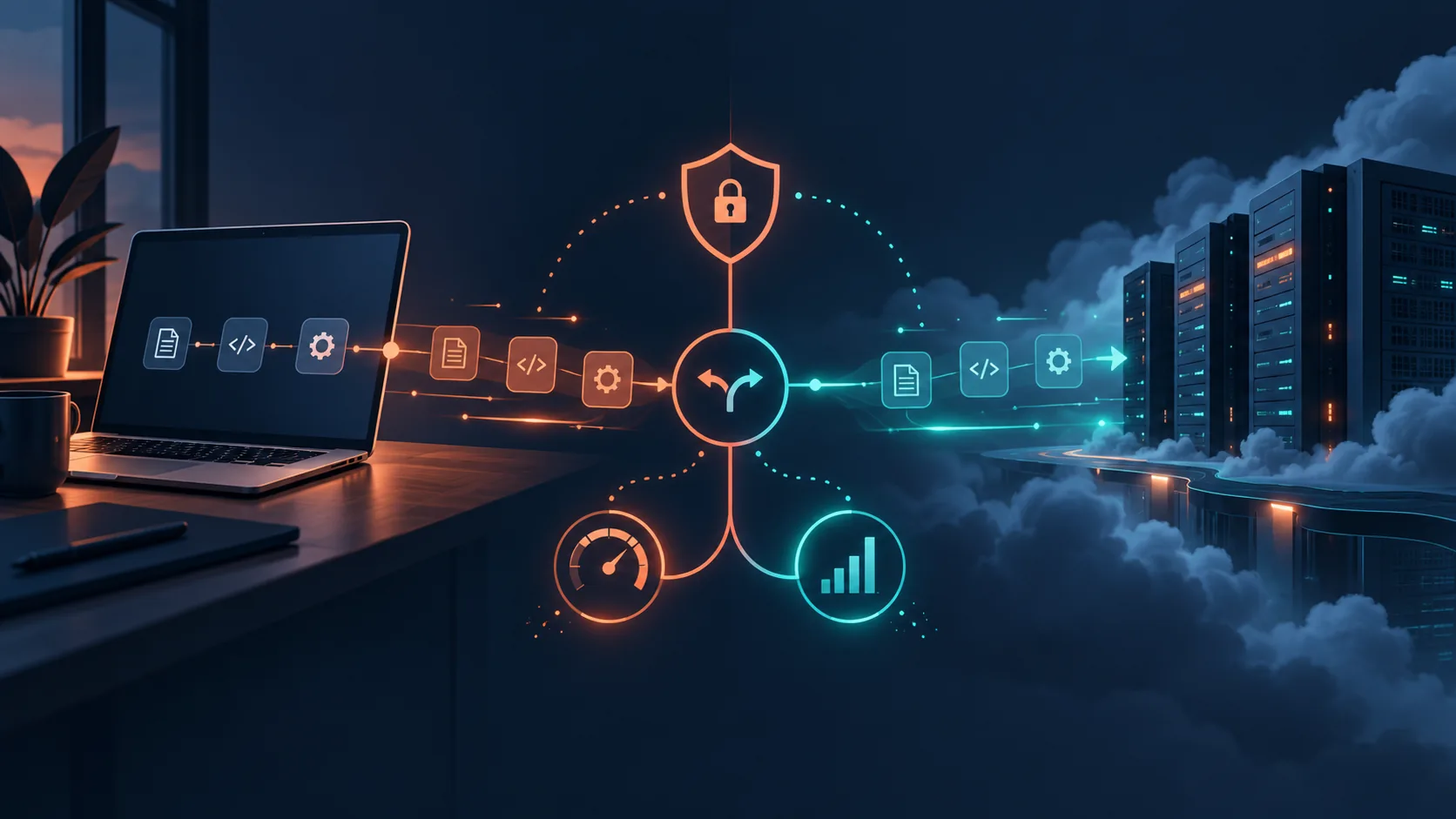
As the capabilities of autonomous systems continue to expand, developers and operators face a critical architectural decision: choosing between local vs remote AI agents. This choice dictates where your agent’s code and dependencies live, directly impacting system performance, security posture, and overall operational efficiency.
Because modern AI workflows often require a mix of intensive inference, constant network polling, and access to highly sensitive local data, there is no single environment that serves every purpose flawlessly. Understanding where each task should run is fundamental to building scalable, reliable, and secure AI architectures.
In this guide, we will explore the decision criteria used to evaluate local versus remote execution environments. By examining the strengths, limits, and practical applications of each, you will be equipped to design systems that maximize uptime while protecting sensitive data. We will also explore how to implement secure connections and manage a hybrid workflow across local workstations, remote servers, and Docker containers using a unified workspace.
Key Criteria for Choosing Between Local and Remote AI Agents
Before assigning a specific task to a machine, it is essential to evaluate the operational requirements of the agent. The choice between local and remote deployment generally hinges on six core criteria:
1. Data Sensitivity and Privacy
Agents often require access to proprietary databases, internal documents, or sensitive user information. When an agent runs locally, the data it processes never has to leave your local network or machine. This zero-transit approach inherently reduces the attack surface and simplifies compliance with strict data governance policies. Conversely, deploying an agent remotely means that sensitive data must either be transferred to the cloud or accessed via secure tunnels, introducing potential vulnerabilities in transit and requiring strict access controls on the remote host.
2. Network Latency
Latency is the delay between an agent initiating an action and the system completing it. For tasks that require immediate interaction with local file systems, local APIs, or physical hardware components, local AI agents operate with near-zero network latency. When executing remote AI agents, every action touching your local environment must traverse the network. If your remote server is geographically distant or the connection is unstable, latency can compound, significantly slowing down workflows that require rapid, sequential actions.
3. Uptime and Availability
An agent’s ability to run continuously is directly tied to the uptime of its host machine. Local machines, such as developer laptops, are frequently turned off, put to sleep, or disconnected from the network. If an agent is tasked with monitoring a live data stream, responding to customer inquiries in real-time, or running scheduled cron jobs overnight, relying on a local machine introduces unacceptable downtime. Remote servers, housed in dedicated data centers, are designed for 24/7 high availability, making them the standard choice for always-on agents.
4. Compute and Resource Availability
AI agents—particularly those running local Large Language Models (LLMs) or performing heavy data processing—demand significant compute resources. Local machines are constrained by their physical hardware (CPU cores, RAM, and GPU VRAM). Pushing a local machine beyond its limits can result in system crashes or degraded performance. Remote execution environments allow operators to provision specialized hardware, scaling the compute resources precisely to the agent's requirements without bottlenecking a local workstation.
5. Deployment Access and Collaboration
When working in a team environment, operators need shared access to an agent's logs, configuration files, and execution state. Local AI agents are inherently isolated; sharing access usually requires complex port-forwarding or screen-sharing. Remote AI agents offer centralized deployment access. Multiple team members can connect to the same remote server, monitor the agent’s progress, review identical log files, and adjust configurations collaboratively.
6. Cost Structures
The financial implications differ significantly. Local execution relies on sunk costs—utilizing the hardware you already own with virtually no ongoing hourly compute fees, though upgrading requires substantial upfront capital. Remote execution shifts the financial model to operating expenses. While this eliminates massive upfront hardware costs, continuous execution of resource-heavy agents on remote servers can result in unpredictable monthly bills if not monitored closely.
Strengths and Limitations of Local AI Agents
Local AI agents are deployed directly onto the user's personal computer or local network hardware. This approach is highly favored by developers during the initial building phase and for specific privacy-first applications.
Strengths:
- Absolute Data Sovereignty: Files, credentials, and proprietary datasets remain completely within your physical control. There is no risk of interception during transit to a cloud server.
- Rapid Prototyping: Developers can test code, iterate on agent logic, and debug errors immediately without waiting for server deployments or configuring remote environments.
- Zero Ongoing Compute Costs: Utilizing existing hardware means you can run intensive, long-running batch tasks in the background without racking up cloud provider billing fees.
Limitations:
- Hardware Ceilings: You are strictly limited by your machine's RAM and VRAM. Running multiple complex agents or large parameter models concurrently is often impossible on standard consumer hardware.
- Intermittent Availability: The agent dies when the laptop closes, making local environments entirely unsuitable for continuous monitoring, scheduled overnight tasks, or public-facing services.
Strengths and Limitations of Remote AI Agents
Remote AI agents are hosted on external servers, ranging from dedicated bare-metal machines to cloud instances. This is the standard deployment model for production-grade, enterprise, or collaborative agentic systems.
Strengths:
- Uninterrupted Operation: Remote servers are built for high availability. Agents can run indefinitely, monitoring APIs, scraping data, or handling requests 24 hours a day.
- Scalable Architecture: Operators can dynamically increase CPU, RAM, or storage as the agent's workload grows, ensuring consistent performance.
- Centralized Management: Remote servers provide a single source of truth for the agent's state, accessible to multiple operators for auditing and maintenance.
Limitations:
- Network Dependency: If the connection to the remote server drops, managing or interacting with the agent becomes impossible until the network is restored.
- Security Complexity: Exposing a remote server to the internet introduces a persistent attack surface. It requires rigorous credential management, firewall configuration, and connection verification.
Real-World Scenarios: Where Should Each Task Run?
There is no universal winner in the debate between local vs remote AI agents. The optimal environment depends entirely on the use case. Below are practical task-based scenarios and deployment recommendations.
Scenario 1: Code Generation and Refactoring on Proprietary Repositories
Task: An agent reads through a company's highly confidential, unreleased source code to suggest refactors, write unit tests, and identify bugs.
Recommendation: Local Execution. Because the source code represents core intellectual property, minimizing its exposure is paramount. Running the agent locally ensures the code does not traverse external networks. The developer can verify the agent's changes directly in their local IDE before committing them.
Scenario 2: 24/7 Customer Support Triage
Task: An agent monitors a shared support inbox, categorizes incoming tickets, extracts relevant customer data, and drafts initial replies for human review.
Recommendation: Remote Execution. This task requires 100% uptime. Customers submit tickets at all hours, and the agent must be awake to process them immediately. A local laptop going to sleep would create a massive backlog. Remote execution on a highly available server is mandatory.
Scenario 3: Large-Scale Data Scraping and Processing
Task: An agent scrapes thousands of web pages, extracts specific market data, formats it into structured JSON, and pushes it to a database.
Recommendation: Remote Execution. Scraping tasks are typically long-running and consume significant network bandwidth. Running this locally would tie up the operator’s machine and potentially throttle their office network. A remote server handles the bandwidth and compute load transparently.
Scenario 4: Personal File Organization and Cleanup
Task: An agent scans a user's local Downloads folder, categorizes documents, renames them based on content, and moves them to archival folders.
Recommendation: Local Execution. The agent requires direct, high-speed read/write access to the local file system. Attempting to do this remotely would require uploading the entire folder to a server, processing it, and downloading it again—an inefficient process introducing severe latency and privacy risks.
Securing Remote Connections: SSH and Host Verification
Transitioning from local development to remote agent execution makes securing the connection between your workstation and the remote server a critical priority. The industry standard for accessing remote servers is Secure Shell (SSH). However, operators must rigorously verify the identity of the hosts they connect to.
One of the most significant risks when connecting to remote AI agents is the Man-in-the-Middle (MITM) attack. In this scenario, a malicious actor intercepts the connection between your local machine and the remote server, potentially capturing sensitive agent credentials, API keys, or operational data.
To combat this, strict host key verification is essential. When you connect to a remote server for the first time, the server presents a cryptographic host key. Systems must explicitly verify this key against a known, trusted source. If the host key changes unexpectedly on subsequent connections, the connection must be immediately terminated.
OPAYA is built with this exact security posture in mind. When connecting your workspace to remote machines, OPAYA enforces strict SSH host verification. It does not automatically accept new or altered host keys. If a remote server presents an unverified or modified key, OPAYA actively prevents the connection, ensuring your agents and data are protected from unauthorized interception.
The Hybrid Workflow: Managing Both Environments with OPAYA
In modern operational environments, builders rarely choose exclusively between local or remote setups. The most efficient architectures utilize hybrid workflows, deploying agents exactly where they are best suited and managing them from a unified interface.
For example, a developer might run a heavy inference agent on a remote GPU server to handle complex data analysis, while simultaneously running a lightweight local agent to monitor local file changes and trigger the remote workflow. Managing these disparate environments traditionally requires juggling multiple terminal windows, SSH clients, and separate configuration files.
A unified workspace eliminates this friction. OPAYA empowers this hybrid approach by allowing operators to connect their local computers, remote servers via SSH, and Docker containers directly into a single desktop workspace. This means you can deploy an agent to a local machine for secure data processing, and deploy another to a remote server for 24/7 API monitoring—all orchestrated from one centralized dashboard.
Quick Verification Checklist for Agent Deployment
Before launching an AI agent, use this practical checklist to determine the safest and most efficient deployment environment:
- Assess Data Privacy: Does the agent need to read or write highly confidential data? If yes, default to local execution unless strict, encrypted remote tunnels are in place.
- Check Uptime Requirements: Does the task require execution outside of standard working hours or immediate response to external triggers? If yes, deploy remotely.
- Evaluate Compute Needs: Does the agent rely on an LLM that exceeds your local machine's VRAM limits? If yes, deploy to a specialized remote server or utilize Docker containers with resource limits.
- Verify Host Security: If deploying remotely, have you verified the SSH host key? Ensure your management tool strictly enforces host key verification to prevent MITM attacks.
- Determine Collaboration Needs: Will other team members need to monitor the agent's logs or intervene? If yes, a remote deployment ensures centralized, shared access.
Frequently Asked Questions
Does "remote agent" just mean using a cloud API like OpenAI?
No. While an agent can call remote cloud APIs from anywhere, a "remote agent" refers to the environment where the agent's actual operational code, memory, and orchestrator reside. A remote agent runs its core loop on a remote server, whereas a local agent runs its core loop on your personal machine.
Can I move an agent from local to remote after building it?
Yes, this is a standard development lifecycle. Builders construct and test agents locally to take advantage of rapid prototyping and zero compute costs. Once stable, the agent is packaged (often using Docker) and deployed to a remote server for high availability.
How do I handle SSH keys safely when setting up remote agents?
Never share private SSH keys. Generate unique SSH key pairs for the devices you use to manage your remote servers. Ensure your remote server is configured to reject password authentication and only accept key-based authentication. Use management tools like OPAYA that enforce strict host key verification.
Are Docker containers considered local or remote?
Docker containers can be either. A container is an isolated environment that can run locally on your laptop or on a remote server. Docker is highly recommended for agents as it standardizes the environment, making it easy to migrate an agent from a local machine to a remote one.
Conclusion
Deciding between local vs remote AI agents is a balancing act between data security, hardware limitations, and uptime requirements. Local execution provides unmatched privacy and rapid prototyping capabilities, making it ideal for sensitive local tasks. Remote execution delivers the high availability, scalable compute, and centralized access necessary for continuous, enterprise-grade operations.
For builders managing multiple agents across diverse environments, OPAYA provides the ultimate desktop workspace. Whether you need to install agents on your local computer, connect to remote servers securely, or manage isolated Docker containers, OPAYA brings your entire infrastructure into one unified view. Start managing your hybrid agent workflows securely and efficiently with OPAYA today.