 opaya
Agent Inventory: Knowing What Runs Where
If you cannot list them, you cannot manage them.
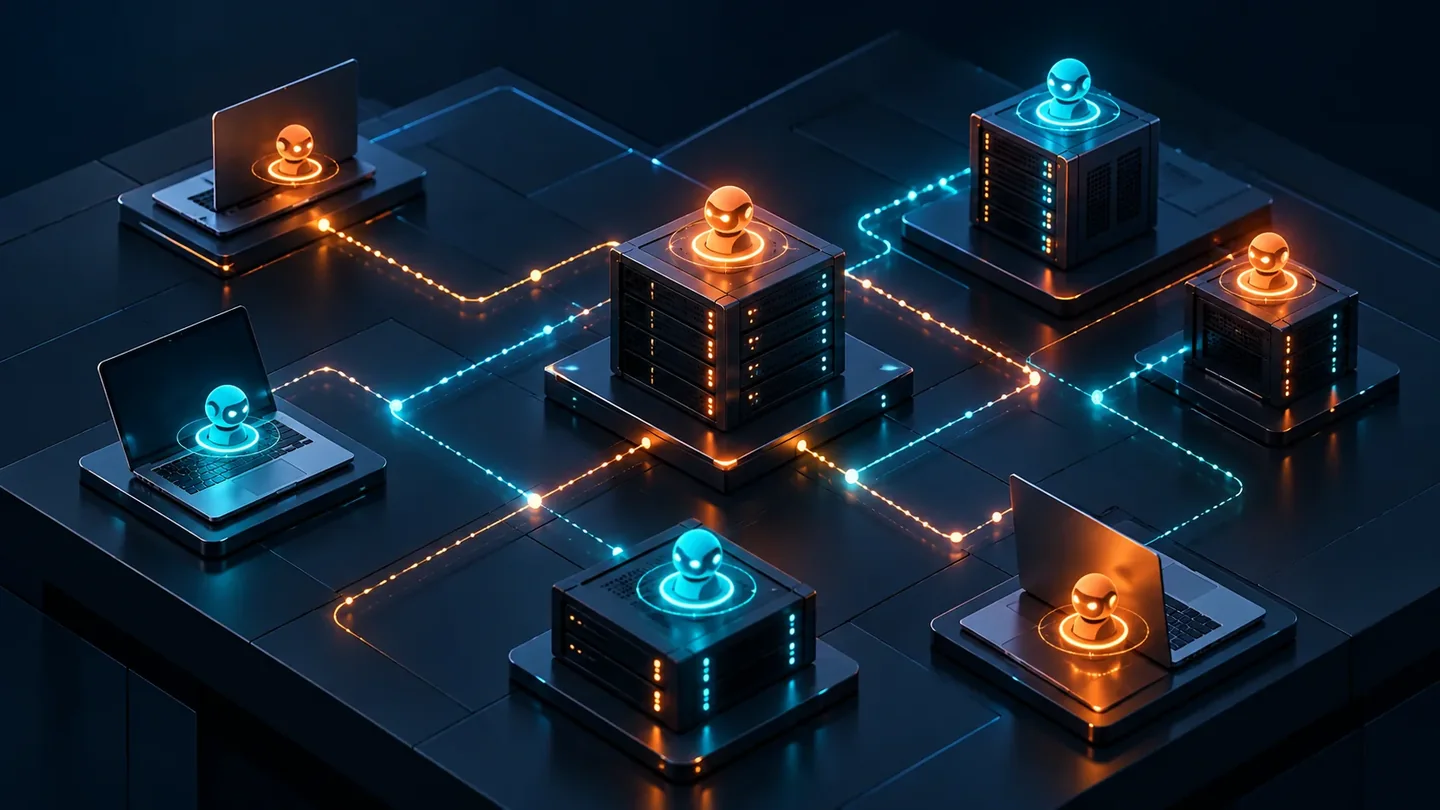
Most teams that run AI agents can name the two or three they open every morning. Far fewer can list the one running inside a container someone started in March, the CLI wrapper on a contractor's laptop, or the systemd unit nobody has touched since installation. That gap is unremarkable until a credential needs rotating, an invoice arrives without an obvious owner, or a process has to be stopped in a hurry. Then it becomes the only thing that matters.
An AI agent inventory is a versioned list of every agent instance in scope. It answers what exists, where it runs, who owns it, how it starts, where its credentials come from, and how it retires. This guide explains why the inventory comes before tooling, what to record in each row, how to discover instances, and how to keep the list from becoming a museum.
What an AI agent inventory is and why it comes before tooling
An AI agent inventory is not a documentation chore. It is the artifact that makes three questions answerable at speed: what exists, who answers for it, and how does it go away. Every operational task you will do later — rotating a key, upgrading a runtime, cutting spend, responding to an incident, offboarding a person — starts by locating rows in that list.
Teams usually reach for a management console first and write the list second, or never. That order is backwards. A console knows what it manages; it cannot know what it does not. Agents started by hand, installed by a client, left behind by a previous employee, or running under an old wrapper will not appear anywhere until someone goes looking. Discovery is the work. Tooling makes discovery repeatable, but it does not replace it.
If you cannot list them, you cannot manage them.
The failure modes are consistent. A credential outlives the person who created it. A container restarts after a reboot and starts serving traffic again months after everyone assumed it was gone. A monthly bill has no line item that maps to a team. A security review asks which models can reach production data and the honest answer is that nobody has checked. Each of these is a missing column, not a missing policy.
What belongs in one AI agent inventory row
One row describes one running instance of one agent. Ten columns are enough to start; more columns get filled in later or not at all.
| Field | What to store | Why it matters |
|---|---|---|
| Agent ID and name | A stable slug plus a human label, for example research-copilot-01 | Gives tickets, invoices and dashboards a join key that survives renames |
| Machine | Hostname, environment tag (laptop, server, Docker host, client-owned) and OS | Tells you where to look when something breaks |
| Install path | Absolute path to the binary or wrapper, plus the config directory | The shortest route from a symptom to a fix |
| Service name | systemd unit, launchd label, compose service, process manager name, cron entry, or manual | Determines how the agent starts, restarts and stops |
| Runtime and last known version | Agent or CLI version, model or endpoint in use, and the command that reports it | Makes upgrades and rollbacks traceable instead of anecdotal |
| Credential source | A pointer only: environment variable name, keychain entry, config key path, secret-manager path | Rotation and offboarding start here; the secret value never belongs in this row |
| Owner | One named person, plus a backup | Every agent needs a human who can say no to a change |
| Review date | Last reviewed and next review due | Turns a static list into a schedule |
| Status | active, quarantined, retired | Separates what runs today from what used to run |
| Retirement trigger | The rule that applies to this row and the date it was last evaluated | Ensures the list shrinks as well as grows |
If a column cannot be filled in, write TODO and the date. A blank cell looks like an oversight; a dated TODO looks like a finding, and findings get closed.
One row per agent instance, not per tool
A team of twelve developers each running the same coding agent locally has at least twelve rows, because each has its own path, its own credential source and its own owner. Collapsing them into a single row labelled coding agent produces a document that looks tidy and answers nothing. The same applies to containers: two services from the same compose file are two rows if they hold different credentials.
Prerequisites for building an AI agent inventory
- A shell on each machine in scope, or an explicit written statement that a machine is out of scope for this pass.
- Read access to user config directories and the ability to list services. Root is usually not required; user-level units and per-user config are where most agents live.
- A git repository or at minimum a spreadsheet with version history that two people can edit. Diffs are how drift becomes visible.
- A confirmed owner per machine or per team before you start, so assignment does not stall at the end.
- Sixty to ninety uninterrupted minutes. This is not a task you do between meetings.
- Restraint about secrets: record where credentials live, never copy their values.
How to build an AI agent inventory step by step
1. Fix the schema and choose a source of truth
Commit a CSV or YAML file to a repository and treat it as the only authoritative list. One row per agent instance, with a header comment describing each column and the date the schema last changed. Starting in a spreadsheet is acceptable if it is shared and versioned, but a text file in git will save you time the first time someone asks who added a row.
2. Declare the scope inside the file
Record machines covered, machines excluded, the date of the pass and who performed it. Future readers need to distinguish no agents here from nobody looked, and those two states are indistinguishable without a scope section.
3. Enumerate long-running processes on each machine
Start with ps -eo pid,user,args | grep -i agent and read past the noise. On macOS, launchctl list shows what starts automatically; on Linux, systemctl list-units --type=service plus the --user variant covers system and per-user services. Capture the PID, command line and user for anything that looks like an agent runtime, a model gateway, a tool server or a local proxy. The user matters as much as the process: it tells you whose credentials are in play.
4. Enumerate containers, including stopped ones
Run docker ps for running containers and docker ps -a for everything else, because a stopped container with a restart policy is only sleeping. docker compose ls gives project names, which is often the fastest way to find the compose file that defines how a set of agents is wired. Record the compose file path as the install path; for a containerised agent, that file is the real configuration.
5. Enumerate CLI tools and config directories
Package managers report their own installs: npm ls -g --depth=0, pipx list, uv tool list. Then look at config roots, which are the highest-signal source of all — an agent with a config directory exists even when it is not running. On macOS that means application support and dotfiles under the home directory; on Linux, the XDG config and data directories; on Windows, the roaming app data folder. Check /usr/local/bin and any personal bin directory for wrapper scripts that hide a tool behind a friendlier name.
6. Trace credentials to their source
For each row, write the pointer: the environment variable name and the file that sets it, the keychain entry name, or the path in your secret manager. Note the difference between a machine-level credential and a personal one, because personal keys inside shared agents are the most common cause of a service breaking the day someone leaves. If a value is hard-coded in a config file, record the file path and mark the row as a finding to fix rather than quietly copying the key into your inventory.
7. Assign an owner and a review date
The owner is a person, never a team name. If you cannot name one, mark the row orphaned and set its review date two weeks out. That clock is not a punishment; it is the start of the retirement process, and it gives people a fair window to claim something they may have forgotten they depend on.
8. Record the version and the command that reports it
Store the check command next to the answer, for example the --version invocation and the date it was run. Reviews then become mechanical: run the command, compare, update the date. Without the command, the next reviewer guesses.
9. Attach the retirement rule at creation
Every new row gets its retirement trigger on day one. Adding the rule later means the rows that most need it — the ones nobody remembers creating — are the ones that never receive it.
10. Publish, then schedule a drift check
Merge the file, link it from the runbook index, and put a short recurring review on each owner's calendar. Then add a drift check: a monthly comparison of what ps, systemctl and docker ps report on your main hosts against what the file claims. A manual monthly check catches most of the problems and takes minutes; automation is a later refinement, not a prerequisite.
Where OPAYA fits in agent inventory work
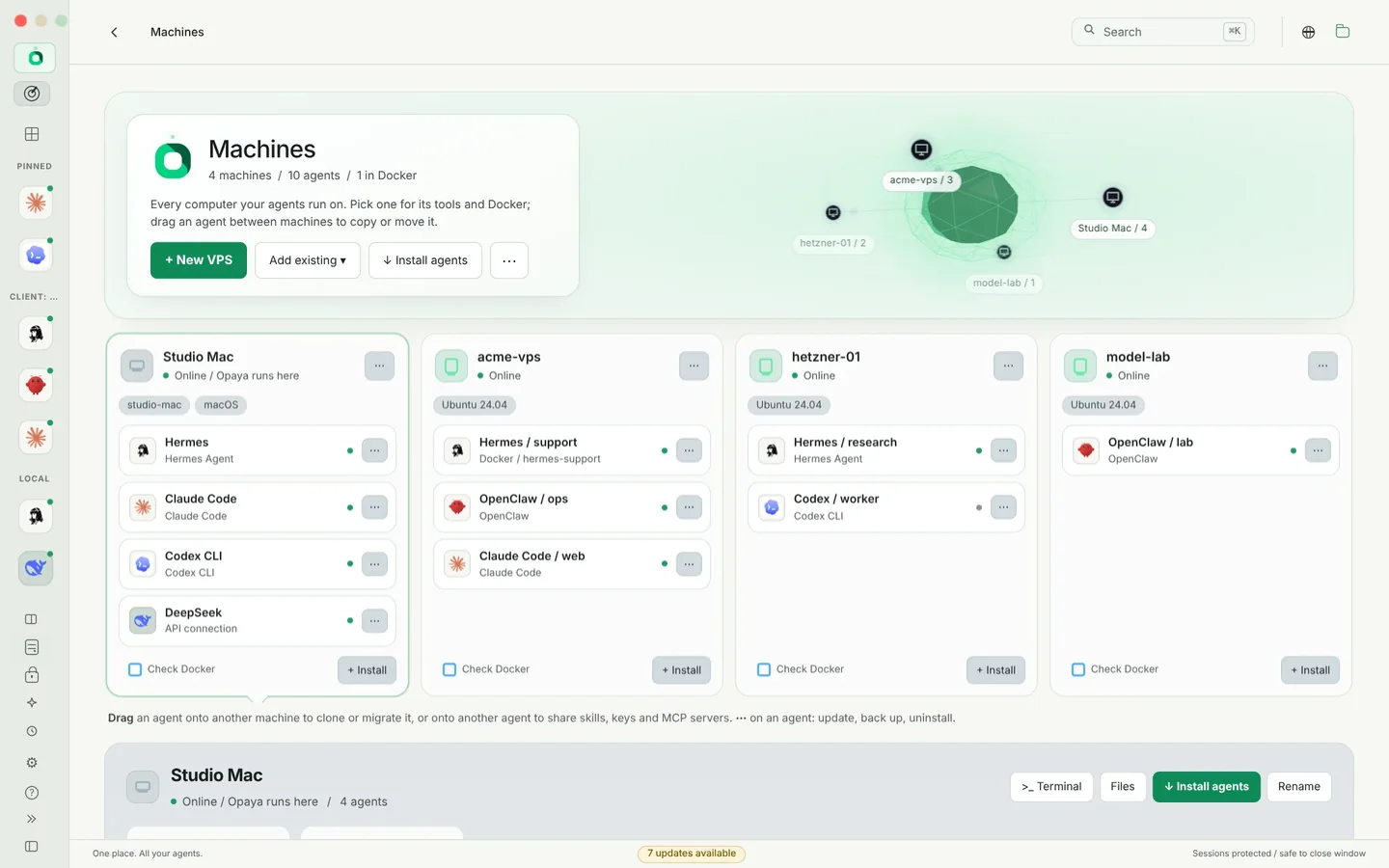
OPAYA is described on its product pages as a desktop workspace for installing, connecting and managing AI agents on local computers, remote servers and Docker. That framing is relevant to inventory work for a practical reason: the place you install and manage an agent is usually the most reliable place to read back whether it exists, where its files live and how it is started. The agent managers page at opaya.dev/agent-managers and the features page at opaya.dev/features describe the current surface, and you should read them against your own requirements rather than relying on a summary — product capabilities change, and this article deliberately makes no claims about them.
Two cautions are worth keeping. First, the inventory belongs in your repository, not only in a vendor tool; a file you can diff and review is what survives a tool migration. Second, any manager is one discovery source among several. Treat it as a fast way to confirm what it manages, and keep the process, container and config-directory sweeps for everything else.
Agent inventory test checklist
- Two-minute lookup. Pick a random machine and find its row plus the service that starts its agent in under two minutes. If you needed a second person, the row is incomplete.
- Orphan sweep. Count rows with no named owner. The target after one remediation cycle is zero.
- Rotation drill. Choose one credential, follow the pointer from the row, rotate it, and confirm the agent still runs. Any step that required tribal knowledge becomes a documentation fix.
- Deletion test on a scratch host. Stop the recorded service and confirm the recorded path and process match reality. Old rows will be wrong; that is the point of the test.
- Newcomer test. Someone who did not build the list should be able to answer what runs on host X from the file alone.
- Drift test. Compare the file against live hosts. Every difference is either an update or a missing discovery step, and both are useful outcomes.
- Retirement dry run. Take an orphaned row and walk the retirement procedure end to end without executing it. Note where it stalls, then fix that step.
- Scope check. Confirm the excluded-machine list is still accurate. Most gaps come from a machine everyone assumed was someone else's responsibility.
Edge cases that break naive AI agent inventories
Agents that never show up as processes. Cron jobs, CI pipelines and IDE extensions start, do work and exit. Add a trigger field and record them anyway: a short-lived agent still holds a long-lived credential.
One agent, many consumers. A shared gateway serving several applications is one row with a consumer list, not one row per application. Ownership is ambiguous here more often than anywhere else, so assign it to the team that operates the service rather than the teams that call it.
Containers with ephemeral storage. Configuration may live in a named volume or be baked into the image. Record the volume name and the compose file path, or the next person will rebuild from an outdated image and quietly lose settings.
Client-owned machines. If a client runs an agent you support, record it as an external row with a contact and a contractual note. Keep it out of your retirement sweep unless the agent is genuinely yours to remove.
Renames and duplicates. Use a stable identifier that does not change when the display name does, and merge duplicates during scheduled reviews rather than mid-incident.
Personal credentials in a shared agent. Flag these immediately. It means one person's departure, or one password change on a personal account, can take down a service other people depend on.
Active but dead. Add a last-verified date and a short dated note. A row that claims to run when it does not will send someone on a pointless investigation at the worst possible moment.
Keeping the inventory alive: review cadence and a retirement rule
A list without a removal rule becomes a museum. Every row needs a trigger that eventually ends it, written into the file so it is versioned alongside the data:
- No verified invocation in 90 days: status changes to
quarantinedand the owner is notified once. - Quarantined for 14 days with no objection: credentials revoked, service disabled, configuration archived to cold storage under the row's ID, and the row moved to a separate retired log.
- Immediate triggers regardless of age: the owner has left the organisation, the vendor contract has ended, a replacement agent has been active for 30 days, or a hard-coded credential has been found.
Review cadence can stay modest. Owners verify their own rows quarterly, hosts get a light drift check monthly, and the whole file gets a full pass whenever someone joins or leaves. The important property is not thoroughness on any given day; it is that the list is corrected on a predictable schedule by people who recognise the rows.
Frequently asked questions about AI agent inventories
How many rows should we expect?
There is no target number, and a short list is not a sign of maturity. The measure is coverage of machines and services. If the file feels small, you probably enumerated processes but skipped config directories and stopped containers.
Spreadsheet or repository?
A repository, if you can manage it. Diffs, review and drift automation all depend on text you can compare across versions. A shared spreadsheet works as a first pass, but plan the migration before the file grows past a few dozen rows.
Do we need to record the actual secrets?
No, and you should not. Pointers only. Copying values turns your inventory into a second secret store with weaker controls than the one you already have, and it makes the file impossible to share with the people who need to read it.
What about agents a client runs on their own machines?
Record them as external rows with a named contact and a note on who is responsible for updates. Include them in reviews, but exclude them from your retirement sweep unless you operate them.
Is a management tool not enough on its own?
Not quite. A tool knows what it manages. Use it to reduce drift and to read back what it deployed, but keep process, container and config-directory discovery as separate evidence, because the rows that cause incidents are usually the ones no console ever adopted.
How do we handle credentials shared by several agents?
Record the same pointer in each affected row and add a note listing the dependents. The next rotation then has a known blast radius instead of a surprise one.
Your next action
Before you schedule anything, open the machine you are sitting at and create three rows using the table above. Fill in the path, the service name and the credential pointer for each, even if the owner is a guess and the version needs checking. That single pass will show you which columns are hard to fill in your environment, and those are the columns your process has to automate or enforce. Then put a 90-minute session on the calendar to repeat it across your remaining hosts, and write the retirement rule into the file before the fourth row exists.
If you want to see how OPAYA approaches installing, connecting and managing agents across local computers, remote servers and Docker, start with the agent managers overview at opaya.dev/agent-managers and the feature list at opaya.dev/features.
Keep reading
The Agent Manager's Scoreboard: What to Track Across Every Machine
A short list of signals worth watching when agents run on several machines and for several people.
Read article →
How to Keep a Vibe-Coded Project From Turning Into Spaghetti
A light project structure that keeps fast AI-assisted builds readable and easy to hand over.
Read article →
Hermes Agent Setup: From Install to First Real Workflow
Install Hermes, point it at a model, connect a chat channel and run a first task end to end.
Read article →